
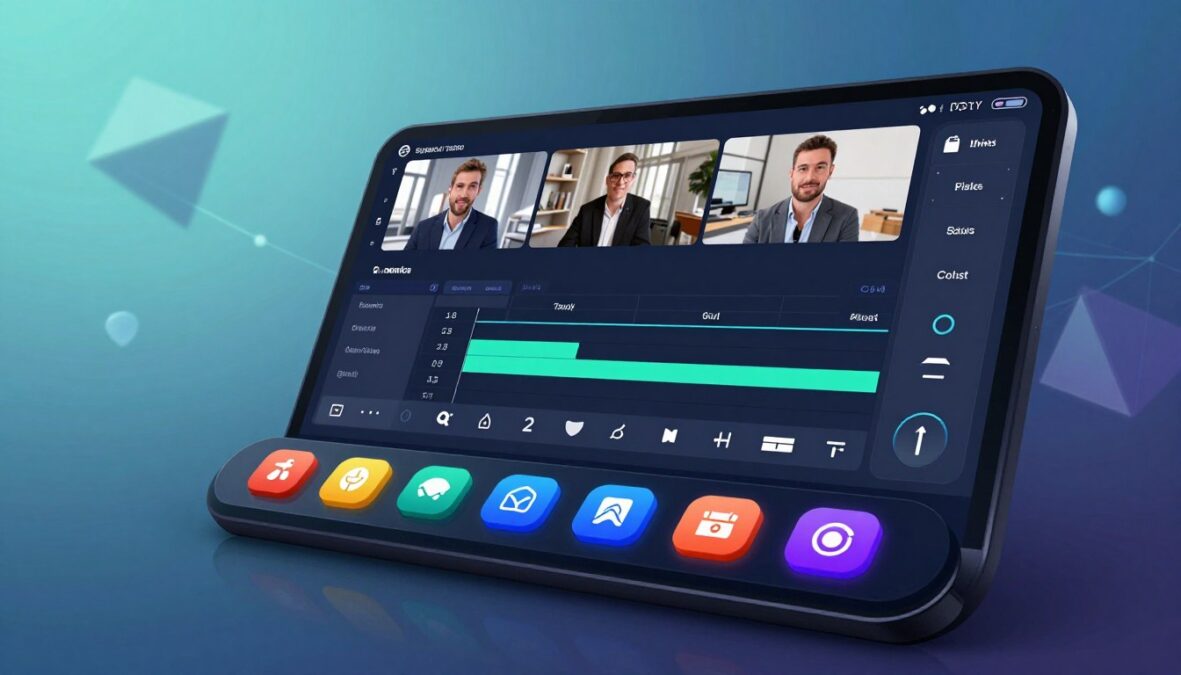
Welcome to our friendly deep dive into the world of video messaging. In this article, we will explore how this innovative tool is transforming the way teams communicate and collaborate. Launched by Float Labs Ltd, this software has gained traction in the United States and beyond.
We’ll walk you through everything you need to know about this video solution. It promises to enhance productivity by offering async recording and smart editing capabilities. Imagine replacing lengthy meetings with polished, shareable video messages that get straight to the point.
Throughout this review, we’ll uncover why many product, sales, and customer success teams are turning to this platform for their daily communication needs. Our extensive testing and real user feedback will provide you with an honest look at features, pricing, and security.
By the end, you’ll have a clear understanding of whether this video software is the right fit for your workflow. Let’s jump right into what makes this tool stand out in the crowded video communication space.
Key Takeaways
- This tool enhances team communication and collaboration.
- It replaces long meetings with concise video messages.
- Smart editing features streamline the video creation process.
- Real user feedback offers insights into its effectiveness.
- Understanding its features can help boost productivity.
Introduction: What Is Supercut AI and Understanding User Needs
Discover how a cutting-edge video software is changing the way teams connect and collaborate. Supercut is specifically designed for fast-moving teams. It aims to replace real-time meetings with high-quality async video recordings. This allows everyone to watch at their convenience.
At its core, Supercut is a screen recording and video communication tool. It enables users to capture their screen, camera, or both. Then, they can instantly share the recording with colleagues, clients, or the public in just a few clicks.
This product has gained significant traction among various professionals. Product teams, sales experts, and customer success managers rely on it to explain complex ideas without needing to schedule yet another meeting.
Understanding the user intent behind this software means recognizing that people seek solutions that save time and reduce meeting fatigue. Many users are tired of juggling multiple tools for recording, editing, and sharing videos. They want one unified product that handles the entire workflow seamlessly.
Supercut addresses these needs with several impressive features:
- Auto-chapters that let viewers jump to relevant sections.
- Transcript editing that makes updating video content as easy as editing text.
- A unified dashboard that keeps all team videos organized in one place.
Whether you are a solo creator looking for a better way to share updates or part of a large enterprise team needing secure, compliant video communication, this tool adapts to your workflow.
| Feature | Description |
|---|---|
| Screen Recording | Capture your screen in up to 4K resolution. |
| Async Video Messaging | Send high-quality video messages that can be viewed anytime. |
| Auto-Chapters | Smart navigation for viewers to jump to key sections. |
| Transcript Editing | Edit transcripts as easily as text documents. |
| Enterprise Readiness | ISO 27001 & SOC 2 Type II compliance for secure communication. |
Supercut AI Review 2026: Key Features & Benefits
Let’s explore the standout features that make this video messaging tool a must-have for modern teams. With its advanced capabilities, it transforms the way you communicate and collaborate. Here’s a breakdown of the main features that set this software apart.
Screen Recording and High-Quality Video Capture
The screen recording capabilities of this tool are genuinely impressive. You can capture your entire screen, a specific window, or a browser tab in crisp quality up to 4K resolution. This makes every detail of your product demo or presentation crystal clear for viewers.
Moreover, high-quality video capture extends beyond just screen recording. It simultaneously records your webcam feed, allowing you to maintain a personal connection with your audience while walking them through complex workflows or design mockups.
Async Video Messaging and Collaboration Tools
Async video messaging is where this software truly shines. You can record a message once and share it with your entire team. This eliminates the back-and-forth of scheduling live meetings, giving everyone the freedom to watch and respond on their own time.
Built-in collaboration tools enhance this experience. Team members can leave timestamped comments directly on the video timeline. This turns every recording into an interactive conversation thread rather than a passive viewing experience.
Smart Navigation with Auto-Chapters and Timeline Editing
Smart navigation is another standout feature. Auto-chapters automatically generate a clickable table of contents for your videos. This breaks down long recordings into sections like Introduction, Integration Setup, or Best Practices. Viewers can jump straight to the information they need without scrubbing through the entire video.
The transcript and timeline editing feature is a game changer. You can edit your video by simply modifying the auto-generated text transcript. This automatically updates the corresponding video segment, saving you a significant amount of time compared to traditional video editing software.
Auto-Editing: Silence Removal, Zoom, and Commenting
Auto-editing tools take the hassle out of polishing your recordings. They automatically remove awkward silences and cut out filler words like “um” and “uh.” You can even add zoom effects to emphasize important sections without requiring any manual editing skills.
The commenting feature on the timeline allows teammates to react with emojis or leave detailed feedback at specific timestamps. This creates a focused, contextual way to collaborate on video content without losing track of which part of the recording is being discussed.
How Supercut AI Enhances Team Collaboration
In the fast-paced world of teamwork, effective communication is essential. This software provides a robust framework that empowers teams to collaborate more efficiently. With features designed for seamless interaction, it ensures that everyone stays aligned and informed.
Unified Dashboard and Custom Workflows
The unified dashboard serves as a central command center where every team video lives. This makes it effortless for people to find past recordings and see what is new. No more digging through endless email threads or Slack messages!
Custom workflows allow teams to tailor the tool to their specific processes. Whether routing video approvals through managers or organizing recordings by project, the flexibility is impressive. Automated notifications can also be set up when new videos are published, keeping everyone in the loop.
Private and Public Sharing Options
Sharing options are designed with security and accessibility in mind. Private sharing gives you complete control over who can access your recordings. You can share sensitive product roadmaps or client deliverables through secure, invitation-only links.
On the other hand, public sharing is just as simple. You can generate a shareable link that anyone can view. This is perfect for broadcasting product updates, onboarding tutorials, or company-wide announcements.
Tracking Views, Engagement, and Feedback
The ability to track views and engagement transforms video from a one-way broadcast into a measurable communication channel. You can see exactly who watched your recording, how much of it they viewed, and where they dropped off.
Feedback collection is seamlessly integrated into the viewing experience. Team members and clients can leave comments or react with emojis at specific timestamps. This creates a rich, contextual conversation around your video content.
This team collaboration approach saves an incredible amount of time. It replaces status update meetings, project handoffs, and lengthy email explanations with concise, engaging videos. People can watch and respond asynchronously, making communication more effective.
Ultimately, this tool understands how modern teams work. It provides the right balance of structure and flexibility to support everything from daily standups to formal client presentations.
Usability & Setup: Getting Started With Supercut AI
Getting started with this innovative video tool is easier than you might think. The integration setup is refreshingly straightforward, taking only a few minutes. You won’t need any complex configurations, making it accessible even for team members who are not particularly tech-savvy.
The setup process guides you through installing the browser extension or desktop app. You will connect your camera and microphone, and configure your first recording preferences in clear, friendly steps. This way, anyone can follow along without frustration.
Compatibility is a strong suit of this video tool. It works seamlessly across major operating systems and browsers. This ensures that your entire team can adopt the software regardless of their preferred devices or technical environment.
Multiple Layouts and Branding Customization
With multiple layouts, you have creative control over how your videos appear. You can choose between screen-only, camera-only, side-by-side, or picture-in-picture arrangements. This flexibility helps you tailor your recordings to the type of content you are producing.
Branding customization options let you add your company logo and choose brand colors. This creates a consistent visual identity across all your team videos. Such features are especially valuable for client-facing recordings and sales presentations.
Customer Support and Documentation
The customer support experience is backed by thorough documentation. This includes a detailed Help Center, step-by-step guides, and API documentation for teams that want to build custom integrations on top of the platform.
Every aspect of the product has been designed with usability in mind. From the intuitive recording interface to the one-click sharing options, you will spend less time learning the tool and more time creating valuable video content for your audience.
The friendly onboarding experience and readily available support resources make this video software easy to adopt. You can introduce it into existing workflows without the usual friction associated with new communication tools.

Pricing, Free Trial, and Subscription Plans
Navigating the world of pricing for video tools can be tricky, but understanding your options is key. This software offers a transparent pricing structure designed to fit various team sizes and usage levels. There are no hidden fees or surprise charges, making it easier for teams to evaluate their choices.
The free trial provides full access to the core features of the platform for a limited time. This allows users to record, edit, and share videos with their teams. You can experience firsthand how this product integrates into your daily workflow before committing to a paid plan.
During the free trial, you can explore everything from screen recording to team collaboration features. This comprehensive experience gives you a clear understanding of the tool’s value without spending a single dollar upfront.
Overview of Available Plans
The Pro version unlocks advanced capabilities that larger teams will appreciate. These include higher recording limits, extended storage for your video library, priority customer support, and additional branding customization options. This flexibility ensures that teams can scale their usage as needed.
Details on Free Trial and Pro Versions
Many user reviews highlight that the time saved by switching to this video tool, measured in fewer meetings and faster decision-making, far outweighs the monthly subscription cost. This makes it a smart investment for teams that produce regular video content.
Value Proposition Compared to Competitors
Compared to competitors in the video messaging space, the pricing delivers strong value. It bundles recording, editing, hosting, and collaboration features into a single subscription. This approach eliminates the need for separate tools for each function.
The Pro plans are structured to scale with your needs. You can start with an individual subscription and upgrade to a team or enterprise plan as your usage grows. This ensures you only pay for what you actually need at each stage.
When evaluating the pricing against the minutes of meeting time saved and the increased clarity of async video communication, most teams find that this tool pays for itself within the first month of consistent use.
Integration and Workflow Compatibility
Connecting your video messaging platform with existing tools can create a seamless workflow. Supercut is built for fast-moving teams, offering integration setup capabilities that align with your current processes. This ensures that video messaging becomes a natural part of your daily operations.
Supercut built its integration framework with the understanding that no video tool exists in isolation. The platform connects smoothly with the project management, communication, and CRM tools your team already relies on every day. This means you can share videos directly into the channels where your team and clients are already working.
Connecting Supercut AI with Existing Tools
By integrating Supercut with tools like Slack, Notion, Linear, or Salesforce, you eliminate the friction of switching between multiple apps. This connection allows for a more streamlined communication experience. For instance, sales teams can send personalized product demos that prospects can watch on their own schedule.
For sales professionals, the ability to record a tailored video walkthrough and share it directly with a client creates a more personal connection than a text email. It is also far more time-efficient than scheduling a live meeting for every touchpoint.
Optimizing Async Communication and Sales Workflows
Teams can embed videos directly into their existing documentation, project boards, or customer portals. This makes video a natural part of the workflow rather than a separate content type that requires special handling or external links.
The platform supports direct video sharing from within your browser. You can record a quick update about a product change, a bug fix, or a new feature and post it immediately to the relevant team channel without breaking your flow.
Async video communication optimized through Supercut reduces the need for synchronous standups and status meetings. This can free up hours of time each week that teams can redirect toward deep work and creative problem-solving.
The integration possibilities make Supercut a versatile tool that adapts to how your team already operates. Whether you are running agile sprints, managing a sales pipeline, or supporting customers through an onboarding process, personalized video touchpoints enhance the overall experience.
| Integration Tool | Benefits |
|---|---|
| Slack | Share videos directly in channels, enhancing team communication. |
| Notion | Embed videos into documentation for easy access and reference. |
| Salesforce | Send personalized product demos to clients seamlessly. |
| Linear | Update teams on project changes quickly with direct video links. |
Security and Privacy Features
In today’s digital landscape, safeguarding sensitive information is crucial for video software. Supercut places a high priority on security, ensuring that customer data is well-protected. This commitment is demonstrated through rigorous third-party certifications and transparent security practices.
Enterprise readiness is validated by Supercut’s ISO 27001 certification. This internationally recognized standard for information security management systems ensures that the platform follows best practices for protecting data confidentiality, integrity, and availability.
SOC 2 Type II compliance goes a step further. It verifies that Supercut’s security controls are not only well-designed but also operating effectively over an extended period. This gives enterprise teams the confidence they need to adopt the platform for sensitive internal and client communications.
Enterprise Readiness: ISO 27001 & SOC 2 Type II Compliance
The dedicated Trust Center provides complete transparency into Supercut’s security posture. This allows security-conscious teams and compliance officers to review certifications, policies, and audit reports before making a purchasing decision.
Data Privacy and Secure Sharing Options
Data privacy is handled with care. Supercut complies with GDPR requirements, ensuring that personal data belonging to European users and customers is processed lawfully, transparently, and with appropriate safeguards in place.
Secure sharing options give video creators granular control over who can access their recordings. Private sharing links restrict viewing to specific people, preventing unauthorized distribution of confidential content.
The platform includes a vulnerability reporting mechanism. This encourages security researchers and users to responsibly disclose any potential issues, demonstrating a proactive approach to maintaining a secure video communication environment.
For teams handling proprietary product information, financial data, or strategic planning discussions, Supercut’s enterprise-grade security features provide peace of mind. They ensure that video content remains protected at every stage, from recording to sharing to storage.
Competitor Comparison & Alternatives in 2026
The variety of video tools on the market in 2026 requires careful consideration of their unique features. Each tool serves different purposes, and the best choice depends on how your team creates and uses video content.
CapCut AI and Other Video Editing Tools
CapCut AI, developed by ByteDance, boasts over 200 million monthly active users. This video editing app excels at helping creators polish their recorded footage. It offers impressive features like auto-captions, smart silence removal, and trendy templates for short-form content.
However, while CapCut shines in editing, it requires users to provide their own footage. This process can take 30 to 60 minutes per video, making it less suitable for teams seeking a fast, async communication tool. The Pro version costs around $10 per month, removing watermarks and unlocking 4K export, but it still does not automate the entire video creation pipeline.
FluxNote and Fully Automated Video Generation
On the other hand, FluxNote focuses on fully automated video generation from text prompts. This tool produces complete short-form videos with AI-generated scripts, voiceovers, stock footage, and animated captions in under five minutes of active work. The Rise plan, priced at $9.99 per month, delivers 21 AI-generated videos monthly, making it an attractive option for content creators looking to scale without manual editing.
With over 50,000 creators and a 4.9 rating, FluxNote has carved out a niche for itself. However, it caters more to marketers who want AI to generate videos from scratch, rather than those needing to record and share personalized messages.
Why Choose Supercut AI Over Alternatives
Choosing Supercut makes sense when your primary need is enhancing team collaboration. This tool is purpose-built for async video messaging and team communication. It allows users to create personal, face-to-camera or screen recordings that feel authentic and human.
For product teams sharing sprint demos, salespeople sending personalized outreach, and customer success managers guiding clients through onboarding, Supercut provides a more natural way to communicate. It stands out compared to editing tools and AI video generators by focusing on the human element in video messaging.
Conclusion
As we conclude our discussion, it’s evident that this software is designed to meet the needs of today’s dynamic teams. After thorough testing and user insights, we can confidently say this video tool enhances productivity through thoughtful async communication features.
This platform addresses the real pain points of modern teams, from reducing meeting fatigue to aligning distributed colleagues without constant check-ins. With high-quality screen recording, smart auto-chapters, and seamless sharing, it’s a compelling choice for teams creating instructional or demo videos.
For product teams, sales teams, and customer success teams, this tool fosters a culture of effective communication. Its enterprise-grade security ensures sensitive recordings are protected, allowing organizations to adopt it with confidence. While alternatives serve different niches, this software stands out as the go-to solution for meaningful, personal video messages that respect everyone’s time.
Ultimately, exploring the free trial could be a game-changer for your team, especially in a world where remote work is the norm. This platform offers a valuable way to stay connected and keep projects moving forward, one well-crafted video at a time.
FAQ
What is the primary function of this video tool?
How does the async video messaging feature work?
Can I customize the layout and branding?
Is there a free trial available?
How does this tool ensure data privacy?
What support options are available for users?
How does this tool compare to its competitors?
Can I integrate this tool with other software?
There are no reviews yet. Be the first one to write one.