

Scalekit is a strong fit for teams that need to connect AI agents to business tools with user-specific access and centralized governance. It provides a managed control layer for agents acting on behalf of specific users, rather than simply connecting an agent to another endpoint.
The practical value depends on more than the connector list. Identity, scoped access, audit records, deployment choices, and cost all shape whether the platform fits an enterprise team. This review also distinguishes Scalekit’s managed MCP platform from its official MCP server, a separate tool for managing Scalekit resources.
Key Takeaways
- Scalekit routes agent tool calls through a shared identity and policy layer.
- Calls use a session token tied to a user and that user’s connected accounts.
- Virtual MCP servers can expose selected tools for a particular agent role.
- Audit and deployment options vary by plan and hosting choice.
- The official Scalekit MCP server is separate from the managed platform.
- Test the exact client, identity flow, and tool permissions before rollout.
The key buying question is whether your team needs a managed identity and policy layer, not just another way to connect an agent to an MCP server.
What an MCP Gateway Does
An MCP gateway gives agents one governed path to the tools and services they need. It sits between an agent and MCP servers, applying shared identity, policy, and governance to tool connections.
In a typical request, an agent asks to use a tool, the gateway checks whether access is allowed, then routes the request to the right MCP server. The server connects that request to the business system. The gateway is a control layer, not the business application or the AI model.
The Model Context Protocol defines how context passes between clients and servers. It does not dictate how an AI application uses a model or manages its context, as the MCP architecture overview explains.
A proxy can forward traffic, but governance also needs shared identity and policy.
That difference matters when a support agent needs ticket access but should not reach an entire business system. Direct connections make each agent responsible for its own endpoint setup and access rules. A shared gateway can apply one policy layer across several connections instead.
Without that shared layer, a team may have to repeat management work as it adds agents and tools. One agent might connect directly to a ticketing MCP server, while another uses a separate CRM server, each with its own access decisions.
A gateway does not guarantee that every request is safe. The team still defines policies and decides which tools an agent can reach. A gateway adds value when a team needs to control access consistently across more than one agent or tool connection.
How Scalekit MCP Gateway Review 2026 Works
Scalekit routes a tool request with a session token tied to the user and that user’s connected accounts. That user binding gives each run a distinct identity instead of treating every agent call as one shared service account.
Each Scalekit run uses a session token bound to one user and that user’s connected accounts. The token lets the platform route calls through the accounts that person authorized, while the gateway applies the relevant access rules.
A user-bound request path
The user first authorizes a connection to a business account. The agent then requests a tool through the application using that user’s session. Scalekit checks the request and routes it to the MCP server connected to the authorized account.
The connected system receives a request made through that person’s approved connection. The distinction matters when many people use one agent: their calls should not collapse into a single shared identity with wider access than any individual needs.
The application’s own setup still matters. Its client-side connection must start and maintain the user experience, including sign-in and the agent’s connection to the platform. Scalekit supplies the managed control layer, but the application remains responsible for how users begin and interact with that flow.
Session token lifetime
Session tokens last one hour by default and can be configured from 60 seconds to 24 hours. Shorter lifetimes reduce the time a token remains exposed, while increasing the chance of another sign-in.
A short lifetime can suit sensitive tools, but frequent reauthorization may interrupt an agent workflow. A longer lifetime can reduce that interruption, though teams must weigh the added exposure window against their own risk rules.
For example, a workflow that reads ordinary support tickets may tolerate a different balance from one that can change financial records. Set the token lifetime to match the sensitivity of the tools and the reauthentication experience the team can support.
User Identity and Delegated Authorization
Delegated authorization lets an agent act through a user’s approved connection instead of relying on one shared account. Per-person access keeps the connection tied to the person who consented, rather than granting an agent a reusable raw credential.
Scalekit describes a one-time link for each person to authorize an account. Credentials are stored in an AES-256 encrypted vault isolated by tenant, and OAuth flows and token refresh run automatically. The agent should use scoped, short-lived credentials for a run, not receive a reusable password or raw token.
Per-person credentials and consent
This model differs from a service account shared across a department. A shared account can obscure which person’s authority supports a call, while a user’s own connection provides a clearer authorization path. The person still needs to grant the requested access through the sign-in flow.
Automatic OAuth refresh can keep an authorized connection usable without asking the user to repeat the full sign-in each time. It does not replace permission review: the scopes requested by the application should match the work the agent performs.
Role scope versus action scope
A role determines which tools are eligible for an agent, while action scope sets what the agent can do within those tools. For example, a role can allow reading and sending email while denying access to CRM deals.
That distinction gives a team more precise control than a simple on-or-off connector switch. A user might be eligible to use an email tool but still lack permission to perform a particular action. The upstream API should not receive an action that the policy denies.
- Confirm whose consent authorizes each connected account.
- Check that requested permissions match the user’s approved scopes.
- Verify that a denied action never reaches the upstream API.
These checks make the boundary visible before a broad rollout. A role name alone does not prove that every user has the same upstream access. Test a denied action with a real user account before granting the same role to a production agent.
Virtual MCP Servers Narrow Tool Access
A Virtual MCP server gives each agent role a curated tool surface instead of exposing every connected tool at once. A Virtual MCP server is an MCP endpoint that exposes a selected set of tools to a specific agent role or user.
Scalekit uses Virtual MCP servers to expose selected tools for each agent role. That can help an agent discover relevant tools without presenting unrelated capabilities in its available tool list.
| Role or agent | Exposed tools | Allowed action | Blocked action |
|---|---|---|---|
| Email assistant | Email tools | Read and send | CRM deals |
| Support agent | Ticket tools | Read and update assigned tickets | Unrelated CRM deals |
| Finance assistant | Approved finance tools | Read approved records | Unrelated email actions |
The email example reflects the distinction between a permitted role and the actions available to it. The support and finance rows are illustrative policy designs, not claims about preset Scalekit roles or default configurations.
Tool discovery is part of safe agent design. If an agent sees every connected tool, it may select an irrelevant one or make the available choices harder to manage. A smaller tool surface can help focus requests, but it is not a substitute for action-level permissions.
Allowlists also need care as jobs change. A support role may later gain a new task, or a user may lose access to a connected system. Review the exposed tool list whenever the agent’s job or the user’s authorization changes.
Integrations and Framework Support
Scalekit can connect agents to familiar business systems, including Salesforce, Slack, Gmail, and Snowflake. The breadth is useful for teams with a mixed stack, though a named connector does not mean every API action is available to every agent.
Named integrations cover CRM systems such as Salesforce and HubSpot, collaboration tools such as Slack and Gmail, support through Zendesk, and data access through Snowflake and Google Drive. The mix supports different workflows without requiring each agent to build a direct connection from scratch.
Four examples show how those connectors may map to everyday work:
- Salesforce and HubSpot for CRM workflows.
- Slack and Gmail for communications.
- Zendesk for support cases.
- Snowflake and Google Drive for data access.
Framework adapters include LangChain, Google ADK, Anthropic, OpenAI, Vercel AI, Mastra, Claude Managed Agents, and OpenClaw. This gives developers several ways to connect the platform to an agent stack they already use.
Connector availability is only a starting point. The actions exposed through a connector still need to fit the agent’s role and the user’s permissions. A system may connect successfully while lacking a specific operation required by a workflow.
Scalekit describes adding custom tools to an existing connector as taking about 30 minutes. Treat that figure as a planning indication, not a delivery guarantee for a team’s full integration, testing, or approval work.
A useful integration review starts with the exact API actions, not just the vendor name. Confirm that the actions your workflow needs exist in the connector before designing around the integration.
Tool-Call Monitoring and Audit Records
Scalekit gives teams tool-call events and connector health information that help identify who did what and where a request failed. That operational view can help teams investigate agent behavior without treating every failure as an application bug.
Logs record the authorizing user, the agent, the tool involved, and what the tool returned. Attributing a call to its authorizing user, agent, and tool gives an administrator a clearer audit trail. Returned data in the record can also help explain the result an agent used.
Connector health can reveal when a system is unavailable or a connection is failing. Error classification can help developers separate authentication failures from other request problems, making troubleshooting more focused.
Free and Growth retain audit logs for 30 days. Enterprise offers retention up to one year and SIEM streaming to Datadog or Splunk. The longer window can matter when an organization reviews events well after a user reports an issue.
Log visibility does not prove that a workflow was authorized correctly. Teams should inspect denied requests and access changes alongside successful calls, since a clean record of completed work cannot show whether a blocked request was handled as intended.
Useful monitoring depends on a review routine, not just an available dashboard. Decide who checks connector errors, how the organization investigates sensitive calls, and where exported records are reviewed. Choose a retention period that covers the organization’s audit and incident-review window.
Security Controls and Deployment Options
Scalekit offers managed cloud hosting as well as customer-environment deployments for teams with stricter infrastructure requirements. The main distinction is whether the managed platform runs in Scalekit’s cloud or inside an environment controlled by the customer.
US and EU cloud options place the service in Scalekit’s cloud. A customer VPC, on-premises installation, or air-gapped environment gives the organization a different infrastructure boundary; those deployment choices are Enterprise options.
Where the platform can run
Customer VPC, on-premises, and air-gapped deployments are available on Enterprise. These options may suit teams that need the service to run within an existing network boundary or in an environment separated from outside connectivity.
| Deployment choice | Where it runs | Relevant consideration |
|---|---|---|
| US cloud | Scalekit cloud | US residency |
| EU cloud | Scalekit cloud | EU residency |
| Customer VPC | Customer’s cloud environment | Customer-controlled network boundary |
| On-premises or air-gapped | Customer environment | Enterprise deployment |
Residency and control are related but different questions. A cloud region answers where the service runs, while a customer-environment deployment places more of the boundary within the organization’s own infrastructure.
Certifications and contractual controls
The managed platform has SOC 2 Type II and ISO 27001 certifications. A HIPAA business associate agreement, or BAA, is available on Enterprise for customers whose arrangements require one.
Those credentials do not establish compliance for every customer workflow by themselves. An organization still needs to review its own configuration, data flow, contracts, and handling of connected systems.
Infrastructure teams should also consider how the selected environment affects operations, access, and maintenance. The right hosting choice can depend on internal network rules and how the organization manages its business data. Ask security reviewers to evaluate the deployment boundary and the specific data flow, not only the certification names.
Scalekit MCP Gateway Pricing
Scalekit’s published managed MCP pricing starts with a Free plan and a $99-per-month Growth plan. The included call volume separates the two published tiers, while Enterprise uses custom pricing.
Free includes 10,000 tool calls per month; Growth includes 100,000. Growth charges $0.50 per 1,000 calls above its included monthly amount. The Enterprise price and volume are negotiated.
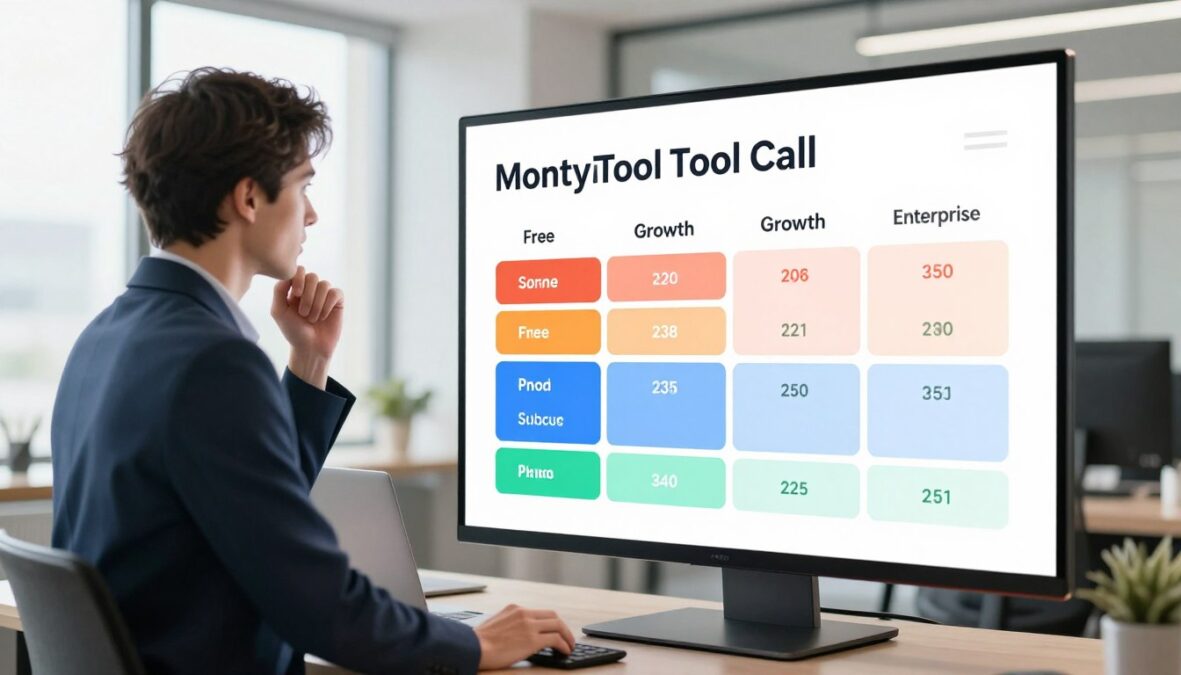
| Plan | Monthly price | Included monthly tool calls | Overage or pricing basis |
|---|---|---|---|
| Free | $0 | 10,000 | No overage rate stated here |
| Growth | $99 | 100,000 | $0.50 per 1,000 calls above included amount |
| Enterprise | Custom | Custom volume and rates | Negotiated |
The Free plan’s included volume is suited to initial testing. A team should estimate expected monthly tool calls before comparing Growth and Enterprise, since the call count affects how useful the included allowance will be.
Enterprise pricing depends on the agreed call volume and the deployment and support needs. Those factors can make the right package different for a team running a small internal trial and a company supporting several customer-facing agents.
Count expected calls across the planned workflows, including how often agents invoke tools during ordinary tasks. Avoid treating user count alone as a substitute for call estimates, because people can trigger different numbers of tool requests.
Estimate expected tool-call volume before choosing a tier, and confirm Enterprise terms directly for the deployment and support package required.
Client Compatibility and Setup
Teams can connect through a range of familiar MCP clients, including Claude, Cursor, VS Code, Windsurf, Gemini CLI, and Codex. Compatibility is product-specific, so setup should begin by identifying whether the team is configuring the managed platform or the official Scalekit MCP server.
Framework adapters include LangChain, Google ADK, Anthropic, OpenAI, Vercel AI, Mastra, Claude Managed Agents, and OpenClaw. SDKs are available for Node.js, Python, Go, and Java, giving developers several ways to integrate their application.
A small implementation review can catch mismatches before a team builds around them:
- Confirm the exact Scalekit product being configured.
- Match the MCP client or framework to its adapter.
- Test sign-in and token refresh with the intended user.
- Verify the required tool schema and permissions.
OAuth and client behavior can vary by client. A flow that works in one environment may behave differently in another, especially around sign-in, redirects, or how a client handles an agent connection.
Scalekit describes adding a custom tool to an existing connector as taking about 30 minutes. That figure is a product claim, not a promise for a team’s complete integration, which also includes the team’s own setup and testing.
The supported client list helps developers narrow their options, but it does not make every setup identical. Run a small end-to-end test in the actual client your users will use before expanding access.
The Official Scalekit MCP Server Is a Separate Product
Scalekit’s official MCP server is a separate developer tool for managing Scalekit resources, not another name for its managed gateway. The difference is its job: it exposes administrative tools for Scalekit itself, rather than governing an agent’s connections to business applications.
The server provides tools for managing environments, organizations, users, OIDC connections, roles, and scopes. Its hosted endpoint is https://mcp.scalekit.com, and hosted use needs no local installation.
The official server’s repository uses the Apache-2.0 license and lists more than 600 connectors and 35,000 tools. Those counts describe the repository’s listed connector and tool catalog, not the identity and governance features of the managed platform.
For the GitHub question about a Scalekit MCP server, the relevant place is the official repository. The repository’s local stdio mode has different sign-in behavior from hosted use, so the mode matters during setup.
Documentation tools can work in local stdio mode without login. Administrative tools require the user’s OAuth token, since they change or inspect Scalekit resources under that user’s authority.
This distinction can prevent a developer from installing the wrong product for a use case. A team building customer workflows may need the managed integration platform, while a developer administering Scalekit may need the official server. Check whether you need the managed integration platform or tools for administering Scalekit before following setup instructions.
Open-Source and Cloud MCP Gateway Alternatives
Docker is the clearest open-source option in this comparison, while Microsoft’s controls address specific gateway and network-governance cases. These products govern different boundaries, so their names alone do not show which access problem they solve.
Container isolation, API policy enforcement, and network filtering are separate controls. Docker MCP Gateway focuses on server containers and requests; Microsoft Foundry governs eligible tools created in its portal; Microsoft’s MCP firewall inspects network traffic.
| Product | Main control | Important boundary |
|---|---|---|
| Docker MCP Gateway | Container isolation, request routing, logging | Open-source gateway and local Docker Desktop support |
| Microsoft Foundry AI gateway governance | Azure API Management policies for eligible MCP tools | Preview, new portal-created tools only, exclusions apply |
| Microsoft MCP firewall | Network allow/block rules | Requires Global Secure Access client, TLS inspection, and license; does not broker credentials |
Docker MCP Gateway isolates server containers
Docker MCP Gateway runs MCP servers in isolated Docker containers with restricted privileges, network access, and resource use. It can start a container when a tool is requested, inject credentials, enforce restrictions, route requests, and log and trace calls.
The gateway is open source, and Docker Desktop runs it automatically when MCP Toolkit is enabled. That makes it a clear option for local container-based control, but container isolation is not the same as a user’s delegated authorization to a connected account.
Docker is a direct answer for open-source MCP gateways and the Docker MCP Gateway. Its focus is server isolation and request handling; teams still need to assess separately whether their application provides the user-delegated authorization flow they require.
Microsoft Foundry governs eligible portal-created tools
Foundry governance is in preview and applies to new MCP tools created in its portal without managed OAuth. Authentication options include Entra managed identity, an API key or token, custom OAuth identity passthrough, or no authentication where applicable.
Policies run through Azure API Management. They include rate limits, IP filtering, correlation IDs, header removal, and routing controls. One example limits traffic to 60 calls per 60 seconds, with request IP as the key.
Foundry excludes SharePoint, code-first, managed-OAuth, and OpenAPI tools. It also does not automatically route existing tools through the gateway. API Management logs and metrics can monitor traffic, but Foundry does not log tool traces.
Global Secure Access MCP firewall inspects network traffic
Microsoft’s MCP firewall was in public preview on October 1, 2026. It can allow or block requests by server, method, tool, and protocol version, using Conditional Access policies.
The firewall needs the Global Secure Access client on an Entra-joined device, TLS inspection, and an Entra Internet Access license. It inspects network traffic rather than brokering credentials, so local servers and stdio traffic remain outside its view.
Choose by the control boundary you need, since container isolation, API policy enforcement, and network filtering are not interchangeable.
What Hands-On Tests Can and Cannot Establish
A short integration test can reveal setup friction, but it cannot establish production readiness or security. A timed test is a screening tool, not a full measure of how an MCP gateway performs under real customer workloads.
The hands-on evaluation tested 10 MCP gateways using Claude Code on macOS and a reusable API-backed, multitenant B2B application design. Each product had up to roughly one hour for the test.

Arcade.dev was the only tested product to complete the target architecture, accept a custom MCP server, and connect from Claude Code within 60 minutes. The result applies to that timed setup, not every product configuration or deployment.
It does not prove that Scalekit is unsuitable. It also does not support a ranking of products whose unreported scores were not established by the result. An hour can reveal setup barriers, but it cannot answer every operational question.
The evaluations took place July 20-21, 2026, and did not test production load, failure recovery, token lifecycle, cost at scale, or security. Those omissions matter because a gateway can connect successfully yet behave differently during outages or heavy use.
A real evaluation should extend beyond the first successful call. Teams need to exercise the access and operating conditions that their users will encounter, rather than treating a working demo as proof of safety.
Treat a timed proof of concept as a screening step, then test the risks it did not measure.
Tradeoffs and Product Limitations
Individual developer feedback highlights OAuth flexibility and token handling, while also pointing to the need to test client and identity-provider edge cases. Two individual accounts can suggest questions for a proof of concept, but they do not establish typical customer results.
A G2 reviewer dated February 9, 2026, rated Scalekit 5/5 and described a complex OAuth setup involving PKCE, dynamic client registration, and custom domains. Another reviewer dated February 18, 2026, also rated it 5/5 and praised token lifecycle handling.
Two five-star reviews are individual experiences, not a broad satisfaction score. They point to useful capabilities, but a team should not assume that another identity provider, client, or workflow will need the same configuration.
Client-specific behavior and customer identity-provider settings can create integration work even when the platform supports a needed flow. That work may involve setup and testing at both ends, rather than a missing connector alone.
Three tradeoffs deserve attention during procurement:
- How much configuration will the engineering team own?
- Which client-specific cases need testing?
- What support is included in the chosen plan?
Those answers can shape the effort required after a product demo. A workflow that depends on a custom identity provider may need more testing than one using a standard sign-in path. Ask for a proof of concept that uses your actual client, identity provider, and one representative tool.
A Practical Evaluation Checklist
A focused evaluation should test identity, authorization, revocation, and audit evidence using the team’s own workflow. Real calls reveal more than a configuration screen, especially when a user loses access or an agent tries a blocked action.
Include a successful call, a denied call, and a changed user permission in the test. Together, those cases show whether the platform can attribute normal use, stop a disallowed request, and respond when access changes.
| Review area | Test question | Evidence to request |
|---|---|---|
| Identity | Can a call be traced to the authorizing user? | Sample event showing user and agent |
| Permissions | Can the agent be denied a specific tool or action? | Allow and deny test results |
| Revocation | What happens when a user loses access? | Tested offboarding or revocation path |
| Audit | Can an administrator reconstruct access and export logs? | Retention setting and SIEM destination |
Identity and access reviews should distinguish a person’s identity from a workload identity used by an application. The distinction helps teams see whether an action represents a user, the agent’s runtime, or both.
A changed permission should have a visible effect on the next relevant request. Review whether the call is blocked, whether the person can regain access through the approved process, and what the audit record shows.
Evidence should be usable by the people who investigate incidents. Ask whether an administrator can connect a request to the user, agent, action, and result, then export the record to the organization’s SIEM.
Require a demonstrated denied call and a usable audit record before approving production access.
Who Should Choose Scalekit?
Scalekit fits best when agents need to use business tools on behalf of individual customers or employees, not a shared account. Separate user identity matters when people have different connected accounts, scopes, or permissions.
For a customer-facing SaaS agent, each customer can connect their own tools using that customer’s credentials, scopes, and tenant. An internal agent can act as the employee who triggered it, inheriting that person’s SSO identity and permissions.
That model is most relevant when engineering teams want centralized connector, credential, and permission handling across many users. A shared connection can blur which person authorized a call, while a per-user connection keeps the actor in view.
Three signals suggest the platform may fit:
- Multiple customer tenants need separate credentials.
- Agents must respect individual user permissions.
- Teams need a shared tool-call audit path.
Before production, trace a real request from the person who starts it to the account that receives it.
Teams with only a few low-risk tools and no need for centralized delegated identity may prefer a simpler direct connection. A managed layer adds less value when access is straightforward and the team does not need shared identity controls.
Map one real workflow in detail: identify who starts the agent, which account it uses, what action it can take, and what record remains afterward. Before committing, map one real agent workflow from the requesting person to the upstream account and back to its audit record.
Conclusion
Scalekit is a compelling option when delegated identity and governed tool access matter more than a bare MCP connection. It is worth evaluating for teams that need user-bound access, curated tools, and centralized audit and deployment controls.
The recommendation depends on whether the exact client, identity flow, and required deployment model work for the team. A product fit on paper is not enough if the real agent workflow cannot complete its approved requests or block the actions it should deny.
Choose one representative agent workflow, test its approved and denied actions, and confirm the deployment and plan with Scalekit before rollout.
FAQ
Can Scalekit connect an agent to a customer’s own SaaS accounts?
Is the official Scalekit MCP server the same as Scalekit’s managed MCP platform?
Does Docker MCP Gateway handle the same identity controls as Scalekit?
Can Microsoft Foundry gateway governance cover existing MCP tools?
Can Microsoft’s MCP firewall inspect local stdio traffic?
What should a Scalekit proof of concept test first?
There are no reviews yet. Be the first one to write one.