

Tactiq is a browser-based meeting assistant that captures spoken content and turns it into useful notes. Its Free plan includes 10 transcripts and 5 AI credits each month. That makes it a practical way to test the service, but not a strong fit for heavy automation.
The key is to separate transcription from AI features. A transcript records the discussion, while AI credits support tools such as summaries, action items, and insights. Therefore, 10 available transcripts do not provide unlimited AI output.
This guide reviews the five options: Free, Pro, Team, Business, and Enterprise. It compares pricing, collaboration tools, supported meetings, and governance as usage grows. Pricing details were verified on July 1, 2026.
The main buying question is simple: is occasional browser-based transcription enough for your current workflow? The answer depends on meeting volume, team needs, and how often you use AI-powered notes.
Key Takeaways
- The $0 option includes 10 transcripts and 5 AI credits per month.
- Transcription capacity and AI capacity work separately.
- The entry option suits testing and occasional use.
- Higher tiers add collaboration and administrative features.
- Usage needs should guide your final buying decision.
What Is the Tactiq Free Plan and Who Is It For?
The tactiq free plan gives individual professionals a simple way to test browser-based notes. It stays at $0 forever and includes 10 transcripts each month. That amount works well for people who join only a few online meetings.
Best Fit for Occasional Meeting Transcription
This option suits students, consultants, and solo users with a light schedule. It can cover weekly calls, interviews, or project updates. However, daily meetings may use the monthly transcript allowance quickly.
What Free Users Should Expect Before Signing Up
Users receive 5 AI credits per month. These credits support tools such as summaries, action items, and follow-up emails. The core features are useful for testing, but they may not support constant automation for a larger team.
Signing in is simple. Tactiq supports Google sign-in and magic link sign-in, so users can avoid traditional password management. It is a low-risk starting point for anyone exploring automated meeting notes.
| Item | What Users Receive |
|---|---|
| Monthly transcripts | 10 |
| Monthly AI credits | 5 |
| Sign-in options | Google or magic link |
Tactiq Free Plan Limits: Meetings, Transcripts, and AI Credits
The tactiq free plan limits are easy to track: each user receives 10 meeting transcripts and 5 AI credits during every monthly billing period. This setup supports light use, but frequent meetings can use the allowance quickly.
Monthly Meeting and Transcript Caps
A transcript stores the spoken conversation from a supported meeting. Users capture that content through the tactiq chrome extension in a compatible browser. Reaching 10 transcripts ends new transcription access until the allowance resets.
Monthly AI Credit Allowance
An AI credit supports selected actions, such as summaries, action items, or questions about meeting content. Because one transcript can lead to several AI actions, the credit allowance may run out before all 10 meeting opportunities are used.
For comparison, Pro includes unlimited transcripts but only 10 AI credits each month. Team, Business, and Enterprise include unlimited AI credits. Therefore, pricing decisions should reflect both meeting volume and the amount of automated notes each user needs.
What the Tactiq Free Plan Includes
Beyond basic capture, this option offers practical tools for turning spoken content into organized notes. A user can review, refine, and reuse meeting information without changing their usual work habits.
AI Insights, Meeting Notes, and Ask AI
AI-generated insights and Ask AI help users find key points, decisions, and follow-up tasks. Still, repeated AI requests can use the five monthly credits. Tactiq also documents support for more than 30 transcription languages, though accents and industry terms deserve a quick test.
Sharing and Exporting Transcripts
Users can share transcripts with colleagues or export them to Google Docs and Google Drive. This supports familiar document workflows for project updates, client reviews, and team records.
Search, Editing, Tags, and Speaker Analytics
Built-in search, editing, tags, comments, and meeting screenshots make transcripts easier to manage. Workflow integrations add useful connections. Speaker analytics show who spoke and for how long, giving more context than plain transcription.
| Feature | Included Capability | Practical Use |
|---|---|---|
| AI tools | Insights and Ask AI | Find decisions and tasks |
| Content access | Share and export | Use Google Docs or Drive |
| Organization | Search, tags, and comments | Keep transcripts easy to review |
How Meeting and Transcript Limits Work
Meeting volume matters more than meeting length when you track monthly usage. The Free plan allows 10 transcripts each month, so it can serve as a test option for light users. A person who joins 10 separate meetings may reach the allowance, even when each call lasts only a few minutes.
A transcript records live speech during one meeting. Editing that transcript, exporting it, or turning it into notes does not usually create another transcript. These actions happen after transcription and do not consume a new capture slot.
This model focuses on live browser transcription. It does not mean the service automatically processes every event on your calendar. You typically need to open a supported meeting and activate capture in the browser.
For professionals with daily meetings or many customer calls, Pro removes transcript limits with unlimited transcripts. Its other features may suit a heavier workflow, while the Free option remains useful for occasional use. Choose based on how often you need a new meeting record, not only on call length.
How AI Credits Affect Meeting Notes and Summaries
Smart follow-up begins after a conversation ends. Live transcription captures spoken words, while AI turns that material into useful notes, tasks, and summaries. These are separate steps, so one meeting can use several AI actions.
Common AI Actions That Use Credits
One credit may support a summary, key points, actionable insights, a follow-up email, or meeting tasks. Asking several questions about one transcript can use credits faster than requesting one summary.
The Free plan includes 5 AI credits each month. Pro raises that amount to 10, while Team, Business, and Enterprise provide unlimited credits. This difference matters for busy workflows that process every call.
Meeting notifications and workflow automations can help deliver AI-generated updates after each call. Still, users should review their preferred features before relying on automatic delivery. A simple summary may be enough for one user, while a growing team may need richer output.
| Option | Monthly AI Credits | Best Use |
|---|---|---|
| Free | 5 | Occasional summaries |
| Pro | 10 | Regular individual use |
| Team | Unlimited | High-volume team workflows |
| Business or Enterprise | Unlimited | Large-scale automation |
Tactiq Chrome Extension and Supported Meetings
Choosing the right browser can shape your note-taking experience. This tool works through a Chrome or Edge extension, so it captures live speech without adding another participant to the call.

Google Meet, Zoom, and Microsoft Teams Compatibility
The tactiq chrome extension supports Google Meet, Zoom, and Microsoft Teams. It creates live transcription while you stay in the call. The browser-first setup also avoids an auto-joining bot, which can make client or team meetings feel less crowded.
Support for more than 30 languages adds useful flexibility. Still, results may change with accents, technical terms, background noise, or people speaking over one another. Test common phrases before relying on the output for important work.
Browser-Based Capture Restrictions
This approach is different from full meeting recordings. It does not capture in-person conversations or every app on your computer. It also is not designed to create audio recordings of sessions held in a room.
Before an important meeting, confirm that Chrome or Edge is available and that the call runs on a supported service. This quick check helps prevent missed transcription and keeps the selected plan aligned with your workflow.
Sharing, Export, and Collaboration Features
After a meeting ends, organized follow-up helps ideas become action. Users can share transcripts with coworkers or export notes to Google Docs and Google Drive. This keeps key decisions visible in the tools people already use.
Basic sharing works well for an individual using the Free plan. A user can send a transcript to a client, save it for later, or move content into a shared document. Comments and editable notes also make review more useful.
Team adds stronger collaboration controls. Auto-share transcripts can send new records to approved colleagues, while centralized billing simplifies account management for groups with the same email domain. Team spaces give members one place to find shared meeting notes.
Workflow integrations move information beyond the workspace. For example, teams can connect transcript details with project, support, or customer tools. This reduces manual copying and keeps follow-up responsibilities clear.
| Capability | Individual Use | Team Benefit |
|---|---|---|
| Sharing | Send selected transcripts | Auto-share with approved members |
| Export | Use Google Docs or Drive | Support shared document workflows |
| Collaboration | Add comments and notes | Use team spaces and centralized billing |
Free Plan Data, Security, and Retention
Privacy and governance become more important when meeting notes include client details, health information, or internal decisions. The service describes its security program as SOC 2 Type II, GDPR, ISO 27001, and HIPAA compliant. These claims provide useful context, but they do not mean every control appears in the entry plan.
SOC 2 Type II Compliance
Compliance supports trust, yet regulated teams should review access rules, audit needs, and storage terms. Basic features may not include configurable retention or organization-wide SSO. Check those details before moving sensitive content into a shared workspace.
Data Retention and Meeting Recordings
Business adds advanced data retention controls and SAML SSO for stronger administration. Enterprise adds a curated Data Processing Agreement and customizable SAML SSO. These features help a team align meeting workflows with internal policies.
Tactiq focuses on transcripts, while recordings depend on the meeting platform. A transcript is not the same as an audio or video file. Before choosing a service, confirm how meetings, recordings, access, and deletion requests fit your security requirements.
When the Free Plan Stops Being Enough
Ten transcripts can disappear quickly when regular meetings, interviews, demos, or customer calls fill the calendar. A light user may stay within that allowance, while busy professionals can reach it well before the month ends.
AI work may create pressure even sooner. Five credits can support occasional summaries, but frequent action items and follow-up notes use them fast. Users who need steady AI support may outgrow the tactiq free plan before they run out of transcripts.
Pro offers unlimited transcripts and 10 AI credits each month. It suits one user who needs more capture room. Team adds unlimited AI credits, which better serves shared workflows and frequent automation.
- Choose Pro when transcript volume drives the upgrade.
- Choose Team when several users need ongoing AI output.
- Review pricing if collaboration, account control, or support matters.
Browser capture also shapes the decision. The tactiq chrome extension depends on Chrome or Edge, so it may not fit in-person sessions, offline work, or recording outside those browsers. Upgrade only when the extra features solve a clear workflow problem.
Pro Plan vs. Free Plan
Choosing between these options depends on how often you capture calls and how much AI help you need. The entry option includes 10 transcripts and 5 AI credits each month. Pro raises transcription capacity without removing its AI allowance.
Unlimited Transcripts With Limited AI Credits
Pro costs $8 per user each month with annual billing, or $12 with monthly pricing. It includes unlimited transcripts and 10 AI credits. That makes it useful for users who record many meetings but request summaries only when needed.
Frequent summaries, action items, and follow-up emails can still use every credit. Pro also lets a user pause auto-transcription and manage transcript notifications. These controls help reduce unwanted captures and keep the workspace tidy.
When the Pro Plan Makes Sense for One User
Pro fits one person who needs more meeting coverage, but not unlimited AI. Google sign-in and magic link sign-in keep access simple. Recordings remain separate from transcript access, so check each service before relying on them.
Team costs $16.67 per user with annual billing or $20 monthly. It adds unlimited AI, auto-share transcripts, centralized billing, and priority customer support. Teams that need shared features and priority support should compare both options carefully.
Team, Business, and Enterprise Plan Options
Growing organizations need more than basic note capture. These options add shared controls, stronger security, and support for larger workflows. Pricing depends on the level of collaboration and administration your users need.
Team Features and Unlimited AI Credits
Team costs $16.67 per user each month with annual billing, or $20 monthly. It includes unlimited transcripts, unlimited AI credits, auto-sharing, and centralized billing. Priority customer support helps groups resolve issues faster and keep meeting workflows moving.
Business Controls, SAML SSO, and Data Retention
Business costs $29.17 per user monthly with annual billing, or $40 monthly. It adds advanced data retention and SAML SSO for stronger access control. Tactiq MCP beta and Tactiq Claude Connector beta can also support downstream AI workflows.
Enterprise Support and a Dedicated Account Manager
Enterprise uses custom pricing and typically requires an annual contract. It offers customizable SAML SSO, notifications, and a curated Data Processing Agreement. A dedicated account manager provides guidance, while dedicated account manager support can help align security, compliance, and collaboration needs.
Tactiq Pricing: Choosing the Right Plan
Budget, meeting volume, and admin needs should shape your choice. The entry option costs $0 and includes 10 transcripts plus 5 AI credits each month. It suits occasional browser capture and simple follow-up.
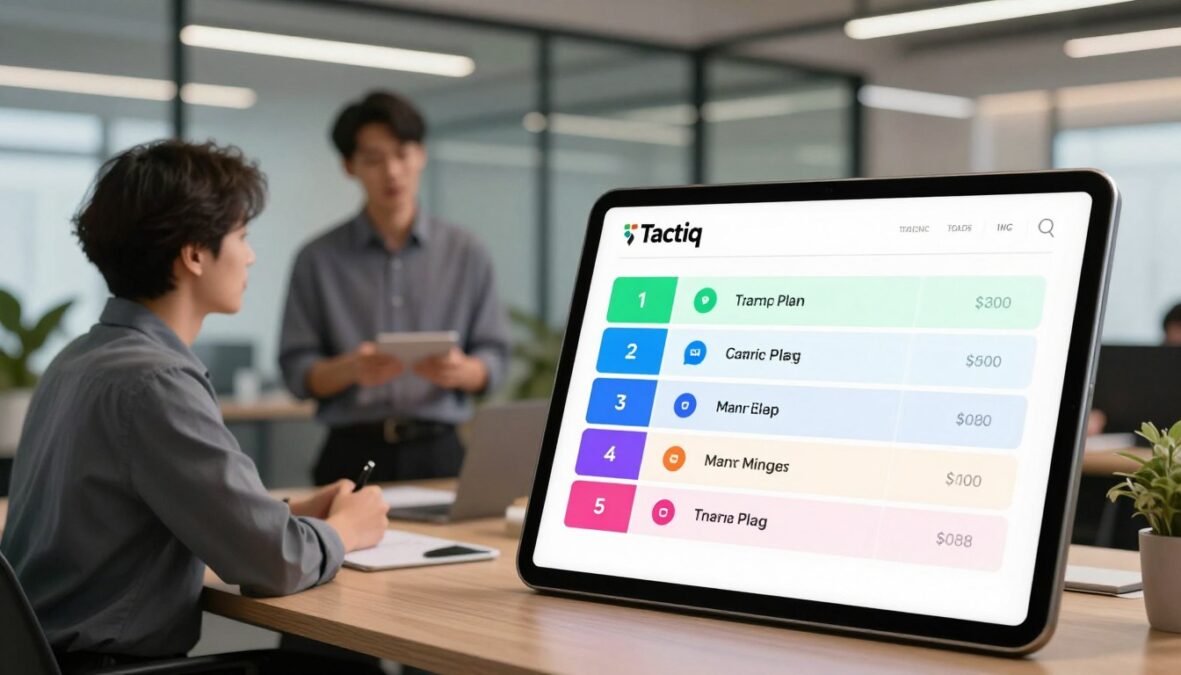
| Option | Annual Monthly Rate | Best Fit |
|---|---|---|
| Pro | $8 per user | Unlimited transcripts |
| Team | $16.67 per user | Unlimited AI credits |
| Business | $29.17 per user | SSO and data retention |
| Enterprise | Custom pricing | Governance and account support |
Monthly rates are $12 for Pro, $20 for Team, and $40 for Business. Select Pro for regular meetings and Team when shared AI features matter. Business and Enterprise fit organizations that need SSO, stronger data retention, or a dedicated account manager.
MeetGeek Basic offers another route. Its $0 option provides three transcription hours each month and unlimited AI summaries. Support for more than 100 languages, a bot, silent tab recorder, and mobile capture may suit broader meeting coverage.
Conclusion
A practical choice starts with the work your calendar demands. For occasional users, the Tactiq free plan offers 10 transcripts and five AI credits each month. It provides a simple way to create meeting notes without a large commitment.
Choose Pro when you need unlimited transcripts. Choose Pro for regular solo use, or select a team option when frequent AI automation matters. Team includes unlimited credits and stronger collaboration tools.
Business and Enterprise add data retention, SSO, security controls, and governance features. Enterprise also offers dedicated customer support for larger organizations. Review recording policies before storing sensitive content.
Tactiq works well with Google Meet, Zoom, and Microsoft Teams through Chrome. It does not replace in-person recording or broad offline capture. The best plan matches your meeting volume, collaboration needs, and support expectations.
FAQ
What is the Tactiq free plan, and who is it for?
What should free users expect before signing up?
How do meeting and transcript limits work?
How do AI credits affect meeting notes and summaries?
Which AI actions use credits?
Does the Tactiq Chrome extension support Google Meet, Zoom, and Microsoft Teams?
Are there browser-based capture restrictions?
Can I share or export meeting transcripts?
Can I edit transcripts and organize meeting notes?
Does the entry tier include meeting recordings?
How does Tactiq handle data security and retention?
Is Tactiq SOC 2 Type II compliant?
When does the entry tier stop being enough?
How does the Pro plan compare with the free plan?
When does the Pro plan make sense for one user?
What does the Team plan offer?
What business controls are available?
Does the Enterprise option include dedicated support?
Does Tactiq offer magic link sign-in?
How should I choose the right pricing option?
There are no reviews yet. Be the first one to write one.