
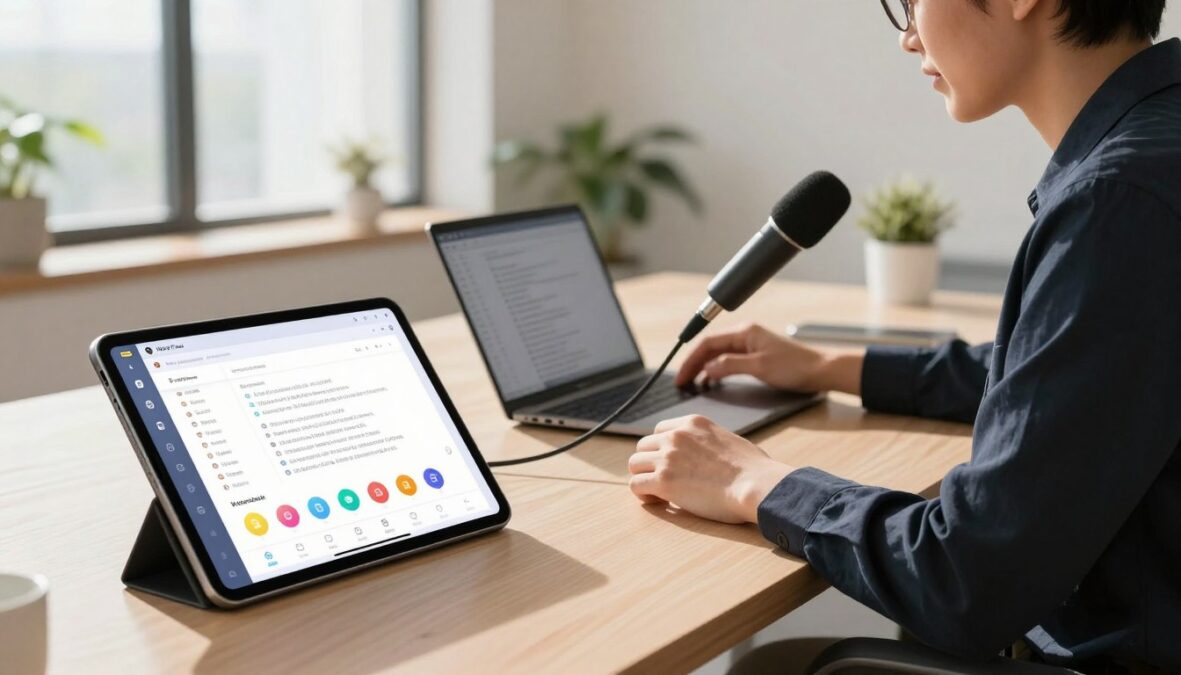
Welcome to our exploration of an innovative voice dictation tool that aims to transform your writing experience. This AI-powered app, launched by a San Francisco startup, promises to enhance productivity across various platforms, including macOS, Windows, iOS, and Android. With the ability to generate text at impressive speeds, it stands out in a competitive market.
In this article, we will delve into the features that make this tool unique. From cloud-based AI models to context-aware text output, you’ll discover how it can seamlessly integrate into your workflow. We will also provide insights from real users and independent reviews to give you a balanced perspective.
By the end of our comprehensive review, you’ll have a clear understanding of whether this dictation tool is the right fit for your needs or if you should consider other options. Get ready to unlock a new way of writing!
Key Takeaways
- Discover how this dictation tool enhances writing speed and accuracy.
- Learn about its unique features that set it apart from competitors.
- Understand the pricing structure and value proposition.
- Explore user feedback for a balanced view of its performance.
- Find out if this tool fits your writing workflow.
Understanding Wispr Flow: An Overview of the AI Voice Dictation Tool
Step into the future of writing with an innovative voice dictation tool that enhances productivity. This application serves as a system-wide AI dictation app, functioning as a voice keyboard across all your devices. Whether you are on Mac, Windows, iOS, or Android, this tool seamlessly integrates into every app.
To use it, simply press a hotkey and speak naturally. The tool then inserts clean, polished text directly where your cursor is located. This feature allows for effortless dictation without the need for a separate editor or window. Your audio uploads to the cloud, where it is transcribed using advanced AI models, including OpenAI subprocessors and fine-tuned Llama for formatting.
Understanding who benefits from this dictation tool is essential. Knowledge workers who write extensively across emails, documents, and notes will find it particularly useful. Professionals who frequently switch between devices or operating systems will also appreciate its versatility.
Moreover, healthcare and legal teams needing HIPAA compliance without the hefty price tag will find this tool invaluable for their workflow. The cross-platform compatibility is a standout feature, allowing your custom dictionary, snippets, and settings to sync across all devices with just one subscription.
This dictation tool goes beyond basic speech-to-text features found in operating systems. It offers context-aware formatting that adapts to the specific app you are using, enhancing your writing experience.
However, it is worth noting that this tool may not suit everyone. Users who require fully offline processing with no cloud involvement might want to consider other options. Overall, this app fits various use cases, from drafting long-form content to quickly replying to messages and emails.
Key Features of Wispr Flow That Enhance Productivity
Explore the powerful capabilities of a dictation tool that promises to enhance your writing workflow. This section dives into the key features that set this app apart from others in the market.
AI Cleanup and Real-Time Text Formatting
The AI cleanup feature is a standout aspect of this dictation tool. It automatically removes filler words like “um” and “uh,” ensuring your speech translates into polished text. The tool also adds punctuation and structures lists when you say phrases like “first, second, third.”
With four levels of Auto Cleanup—None, Light, Medium, and High—you can control how much the AI modifies your original speech. The Undo AI Edit button allows you to view the raw transcript at any time, giving you full control over your content.
The Personalized Style setting, introduced recently, lets you customize the tone of your writing based on the application. For instance, your Slack messages can be casual, while emails can maintain a formal tone.
Command Mode: Voice-Driven Text Editing and AI Integration
Command Mode is a Pro-only feature available on Mac and Windows. It allows users to voice-edit highlighted text seamlessly. Just say commands like “make this more concise” or “translate to Polish,” and the AI will rewrite the text directly in place.
This mode also acts as a voice assistant, enabling you to send prompts to AI tools like ChatGPT or Perplexity without needing to touch your keyboard. This integration makes your workflow even more efficient.
Custom Dictionaries and Snippet Management
The custom dictionary feature is invaluable for teaching the tool unusual words, names, or jargon. This ensures that your specific terminology is accurately transcribed, enhancing the overall quality of your writing.
Snippet management allows you to create shorthand voice triggers that expand into longer blocks of text. For example, you can set a trigger for common email sign-offs or meeting templates, saving you time and effort.
Multi-Language Support and Code-Switching
This dictation tool supports over 100 languages, making it ideal for multilingual users. The automatic detection and code-switching features allow users to switch between languages effortlessly.
Interestingly, the user base is diverse, with 40% using English and 60% using other languages such as Spanish, French, German, Dutch, Hindi, and Mandarin. This broad support ensures that everyone can benefit from the tool’s capabilities.
In summary, these features combine to create a dictation tool that genuinely enhances productivity for anyone who writes a lot of content daily. Whether you are drafting emails, reports, or messages, this tool is designed to make your writing process smoother and more efficient.
Analyzing Wispr Flow Review 2026: Pricing Plans and Value
Dive into the intricate pricing structure of a cutting-edge dictation tool that caters to diverse user needs. Understanding the various tiers will help you find the best fit for your writing tasks.
Flow Basic, Pro Monthly, Pro Annual, Teams, and Enterprise Tiers
The pricing plans for this dictation tool are designed to accommodate a wide range of users. Here’s a breakdown of the available options:
| Plan | Price | Features |
|---|---|---|
| Flow Basic | $0 | 2,000 words/week on Mac and Windows, 1,000 words/week on iPhone, unlimited on Android (beta), custom dictionary, Privacy Mode. |
| Flow Pro Monthly | $15/user/mo | Unlimited words, Command Mode, priority support, early access, team collaboration. |
| Flow Pro Annual | $144/year (~$12/mo) | Same features as Pro Monthly, 20% discount. |
| Teams | From $12/user/mo | Minimum 3 seats, shared dictionaries, admin controls. |
| Enterprise | Custom pricing | SSO/SAML, HIPAA BAA, advanced dashboards, dedicated support. |
Trial Offers, Student Discounts, and Refund Policies
New users can take advantage of a generous 14-day Pro trial without needing a credit card. This allows full access to premium features before making a commitment. Additionally, students receive three months free and 50% off the Pro plan, making the annual cost approximately $72.
Refunds after the trial period are only issued where required by law, so it’s essential to understand this policy before subscribing.
Value Comparison with Competitors
When comparing pricing, this dictation tool stands out as the most expensive option in its category. Here’s how it stacks up against competitors:
- Spokenly Pro: $9.99/mo or $99.99/year
- Superwhisper Pro: $8.49/mo or $249.99 lifetime
- MacWhisper: €59 lifetime
Despite the higher price, the advanced features and cross-platform support may justify the investment for serious users looking to enhance their writing workflow.
Performance Insights: Accuracy, Speed, and User Experience
Let’s take a closer look at how well this dictation tool performs in terms of accuracy and speed. Understanding these metrics is essential for users who rely on voice dictation for their writing tasks.
Speech-to-Text Accuracy Benchmarks and Real-World Results
This dictation tool boasts impressive accuracy, claiming to outperform competitors like OpenAI Whisper and Apple Dictation in internal benchmarks. Independent testing reveals a real-world accuracy of around 97.2% on standard English audio. This places it on par with other leading cloud-based transcription services.
However, some users have noted that the AI cleanup feature can sometimes over-edit. This means it may “improve” the original speech instead of accurately transcribing it, particularly for first-person voice.
Latency and Responsiveness in Various Usage Scenarios
When it comes to latency, the tool reports an end-to-end response time of under 700 ms at p99, according to Baseten, the model-hosting infrastructure. In practice, most users experience a cloud round-trip that feels closer to 1 to 2 seconds.
For longer content, users can achieve speeds of 150 to 220 words per minute once they stop second-guessing themselves. However, for very short replies, the overhead of activating the hotkey makes it roughly equivalent to typing.
User Experience on Mac, Windows, iOS, and Android
The user experience varies across platforms. On Mac, the native build delivers smooth performance, and many users praise its polished UI. One YouTube creator noted it as “by far the best UI” among dictation tools.
On Windows, the Electron-based app uses around 800 MB of RAM and 8% CPU even when idle. Some users have reported freezes in applications like VS Code.
The iOS experience involves using the iPhone keyboard, which requires switching apps for each session. This can disrupt the workflow for some users.
Finally, the Android version, launched in February 2026, offers unlimited free dictation during the promotional period, enhancing accessibility for users.
In summary, the combination of accuracy, speed, and user experience creates a comprehensive performance profile for this dictation tool across all supported platforms.
| Platform | Performance Metrics | User Feedback |
|---|---|---|
| Mac | Smooth performance, polished UI | Best UI among dictation tools |
| Windows | 800 MB RAM, 8% CPU usage | Freezes reported in some apps |
| iOS | Requires app switching | Disruptive for workflow |
| Android | Unlimited free dictation (beta) | Accessible for all users |

Platform Support and System Requirements for Optimal Operation
To ensure a seamless dictation experience, it’s essential to understand the platform support and system specifications. Knowing what systems are compatible will help you maximize the potential of your voice dictation tool.
Supported Operating Systems and Hardware Needs
This dictation tool offers extensive cross-platform support. Here’s a breakdown of the compatible operating systems:
- macOS 12 (Monterey) or later, including macOS 26 Tahoe on both Apple Silicon and Intel processors.
- Windows 10 or 11, limited to x64 architecture only, with no ARM or Snapdragon support.
- iOS 18.3 or later, compatible with iPhone and iPad in compatibility mode.
- Android 13 to 16 (API 36), with a beta version launched in February 2026, offering unlimited free dictation during the promotional period.
Hardware requirements are also important:
- 8 GB or more of RAM on Mac and Windows.
- 4 GB or more of RAM on iOS devices.
- 6 GB or more of RAM on Android devices.
Resource Usage and Storage Footprint
The storage footprint for this tool is surprisingly light:
- Approximately 500 MB on Mac, iOS, and Android.
- About 200 MB on Windows.
However, users should be aware that the Windows app, built on Electron, consumes around 800 MB of RAM and 8% CPU even when idle. This resource usage can be a concern for some users.
Limitations: No Browser Extension and Cloud-Only Processing
It’s essential to note some limitations:
- No browser extension is available, only a web demo.
- All processing occurs exclusively in the cloud, with no offline mode at any price tier.
One subscription covers every device, allowing full sync of settings, dictionary, and snippets. This feature is rare among dictation tools, making it a significant advantage for users.
Privacy, Security, and Compliance Considerations with Wispr Flow
Understanding the privacy and security features of a dictation tool is crucial for users concerned about data safety. This section delves into how the app manages data, its compliance with regulations, and the security measures in place.
Cloud-Based Processing and Its Implications
All audio processing occurs in the cloud. This includes the use of subprocessors like Baseten, OpenAI, Anthropic, Cerebras, and AWS. With no on-device mode available, users should consider what this means for their data.
Sending every dictation to AWS for transcription and AI cleanup raises important privacy questions. Understanding how your data is handled in the cloud is essential for informed usage.
Privacy Mode and Data Retention Policies
The Privacy Mode feature is designed for users who prioritize data protection. When enabled, this mode ensures Zero Data Retention, meaning no dictation data is stored or used for training purposes by the app or any third party.
When Privacy Mode is off, your dictation audio, transcripts, and edits may be used to evaluate and improve the app’s features. This distinction is critical for users who want to maintain control over their data.
Privacy Mode is opt-in for Pro users and automatically enabled for Enterprise plans. The free Basic tier also includes this important feature, ensuring broad access to privacy controls.
Certifications: SOC 2, ISO 27001, HIPAA, GDPR, and AI Governance
Security certifications provide assurance regarding data protection. The app is SOC 2 Type II certified, which includes independent verification of security controls. Additionally, it holds ISO 27001:2022 certification, valid through September 2026.
Healthcare professionals can sign a Business Associate Agreement directly in the app, ensuring HIPAA compliance across all plans, including the free tier. Furthermore, the app aligns with GDPR and CCPA regulations, reinforcing its commitment to user privacy.
Lastly, the app claims alignment with ISO 42001:2023 for AI governance standards. Importantly, the company never sells your data, relying solely on a subscription model for revenue.
Addressing Windows-Specific Performance and Reliability Challenges
Navigating the performance landscape of the Windows version of this dictation tool reveals some unique challenges. Users have reported several issues that can impact their experience, especially regarding resource consumption and application stability.
Resource Consumption and Application Freezes
The Windows app, built on Electron, has a reputation for consuming around 800 MB of RAM and 8% CPU even when idle. This level of resource usage can lead to noticeable slowdowns.
Many users have experienced application freezes, particularly when using popular tools like VS Code and Notepad++ during dictation sessions. This unresponsiveness can be frustrating and disrupt the workflow.
User Feedback on Startup Behavior and System Integration
Another common complaint involves the app’s startup behavior. It tends to auto-add itself to the system startup list, which annoys users who have disabled this feature. The integration with the system can be problematic, as some users find it difficult to completely uninstall the software. Background processes often persist even after attempts to remove the app.
Recommended Workarounds and Alternatives for Windows Users
For those facing these challenges, several workarounds can help:
- Consider managing resource usage by closing unnecessary applications during dictation.
- To prevent conflicts, avoid running heavy applications alongside the dictation tool.
- Testing the app using the 14-day trial can help determine if it fits your workflow before committing to a paid plan.
- For users seeking alternatives, Spokenly for Windows uses significantly less RAM, while Superwhisper offers a newer option worth exploring.
In summary, while performance fixes are being rolled out, the gap between the Windows and native Mac builds remains noticeable. Users should weigh these factors carefully to decide if this dictation tool meets their needs.
User Feedback and Community Sentiment Surrounding Wispr Flow
Community feedback offers a unique perspective on the effectiveness and usability of this voice dictation tool. Insights from users across various platforms highlight both the strengths and weaknesses of the app.
Positive Highlights: Accuracy, Accessibility, and Cross-Device Sync
One of the most notable aspects of this dictation tool is its impressive 4.8 out of 5 rating on the iOS App Store, based on over 8,500 ratings. Users praise its accuracy and auto-formatting features in everyday writing applications like Gmail, Slack, and Notion. These functionalities significantly enhance the speed and quality of daily communication.
Accessibility is another strong point. Many users with conditions such as Parkinson’s, tremors, and dyslexia have shared heartwarming stories about how this tool has changed their lives. They find it genuinely empowering for translating their thoughts into text effortlessly.
Additionally, the cross-device sync feature receives consistent acclaim. Users appreciate how their custom dictionaries, snippets, and settings follow them seamlessly across devices, whether they are using Mac, Windows, iPhone, or Android. The polished onboarding experience is also highlighted as a differentiator, making it feel more refined than many indie competitors in the dictation tools space.
Common Criticisms: Reliability, AI Cleanup Issues, and Cloud Dependence
However, user reviews also reveal some common criticisms. A recurring theme is the reliability of the app, particularly after the initial 14-day trial period. Many users report a drop in performance, which has been frequently mentioned in Reddit threads and Trustpilot reviews.
Another concern is the AI cleanup feature. While intended to enhance transcription accuracy, several users have reported that it sometimes rewrites what they actually said instead of providing a faithful transcription. This can lead to frustration when users expect their voice to be captured accurately.
Lastly, the cloud-only architecture is a dealbreaker for users who need offline dictation capabilities or handle sensitive audio data. The dependency on cloud processing has raised privacy concerns for some, particularly those who prioritize data security.
Overall Ratings from App Stores and Trustpilot
In summary, while the app enjoys a strong rating on the iOS App Store, its 2.7 out of 5 rating on Trustpilot paints a different picture. This stark contrast highlights the mixed sentiments surrounding the product. The Reddit community consensus positions this tool as the best beginner-friendly option, while recommending alternatives like Superwhisper for privacy-focused power users and Spokenly for those seeking free or developer-friendly workflows.

Comparing Wispr Flow to Leading Alternatives in 2026
In the rapidly evolving landscape of voice dictation tools, it’s crucial to understand how one product stands against its competitors. This section provides a comprehensive comparison of Wispr Flow against leading alternatives available today.
Spokenly: Offline Support and Cost Advantages
Spokenly offers a compelling option for users seeking free local processing. It utilizes Parakeet V3 and Whisper Large V3 Turbo models, making it a strong contender in the dictation space. Its bring-your-own-key approach to OpenAI, Deepgram, and Groq at zero markup gives users cost advantages and flexibility that Wispr Flow’s locked ecosystem cannot match.
Spokenly Pro is priced at $9.99 per month or $99.99 per year, with student discounts reducing the cost to just $4.99 per month. This pricing structure makes it an attractive option for budget-conscious users.
Superwhisper and MacWhisper: Privacy and Niche Use Cases
Superwhisper is recognized as a privacy-first powerhouse, particularly for Mac power users. It operates entirely offline on Apple Silicon and supports various Whisper models, from Tiny to Large V3 Turbo. With a lifetime license priced at $249.99, it breaks even after just 17 months compared to Wispr Flow’s annual plan.
MacWhisper is another noteworthy alternative, especially for file transcription needs. Priced at €59 for a lifetime license, it offers drag-and-drop functionality and speaker diarization, making it perfect for podcasts and meeting recordings.
Apple Dictation and Other Market Players
Apple Dictation is a free, built-in alternative that works on-device with zero setup. However, it falls short on accents, jargon, and proper nouns compared to dedicated dictation tools. This makes it less suitable for users with specialized vocabulary.
Dragon remains the leading enterprise solution, offering extensive customization and offline processing. However, it requires significant setup time and system resources, which may not appeal to modern users seeking efficiency.
| Tool | Pricing | Key Features |
|---|---|---|
| Wispr Flow | $15/month or $144/year | Cross-platform support, AI cleanup, cloud processing |
| Spokenly | $9.99/month or $99.99/year ($4.99/month for students) | Free local processing, BYOK flexibility |
| Superwhisper | $249.99 lifetime | Offline operation, privacy-focused |
| MacWhisper | €59 lifetime | File transcription, drag-and-drop functionality |
| Apple Dictation | Free | On-device processing, zero setup |
| Dragon | Varies | Extensive customization, offline processing |
In conclusion, users should choose Wispr Flow for cross-platform needs and built-in AI cleanup. Opt for Spokenly for free offline capabilities and BYOK flexibility. Superwhisper is ideal for Mac users focused on privacy, while MacWhisper is best for file transcription. Each tool has its unique strengths, catering to different user requirements.
Choosing Wispr Flow: Who Should Buy and Who Should Skip It
Choosing the right dictation tool can significantly impact your productivity and writing experience. This section will help you determine if this tool is the right fit for your needs.
First, let’s explore the ideal users and scenarios for this dictation tool.
Ideal Users and Scenarios for Wispr Flow
This dictation tool shines for users who need cross-platform support across Mac, Windows, iOS, and Android. It is one of the few tools that cover all major operating systems.
Cloud-only processing is acceptable for many professional use cases, especially with Privacy Mode enabled. This makes it suitable for knowledge workers who prioritize convenience over offline capabilities.
Furthermore, if you want plug-and-play AI cleanup without any configuration, this tool works out of the box. It features context-aware formatting that adapts to each app you use.
Teams needing SSO, HIPAA Business Associate Agreements, or admin dashboards will find the Enterprise tier particularly valuable. These compliance features are available even on the free plan.
Accessibility is also a key benefit. The tool has proven life-changing for users with conditions like Parkinson’s, tremors, and dyslexia, making traditional typing difficult.
When to Consider Other Solutions
However, there are scenarios where you might want to skip this dictation tool. If you need offline dictation for travel or have unreliable internet, the cloud-only architecture can be a dealbreaker.
Users handling confidential or regulated audio that cannot leave their device should also look elsewhere. All processing occurs on external servers through multiple subprocessors, raising privacy concerns.
If you want to bring your own API keys or work with AI coding agents like Claude Code or Cursor, tools like Spokenly with MCP server integration may offer better workflows.
Finally, consider your budget. If $15 per month exceeds your dictation budget, the free tier may suffice for light use. However, heavy users should explore more affordable alternatives like Spokenly or Superwhisper’s lifetime license.
Conclusion
As we wrap up our exploration of this innovative voice dictation tool, let’s reflect on its impact on writing efficiency. Wispr Flow is a genuinely good product that fulfills its promise of enhancing productivity for users who write extensively.
The AI formatting effectively cleans up speech and adapts tone, whether drafting a casual email or a formal document. Cross-platform sync is a standout feature, allowing seamless transitions between devices like Mac, Windows, iPhone, and Android.
While the free plan is a true offering, providing 2,000 words per week, it’s important to consider the trade-offs. The cloud-only architecture and some Windows performance issues may not suit everyone. However, the 14-day Pro trial gives ample time to evaluate its fit for your workflow.
In conclusion, choose Wispr Flow if cross-platform support and AI cleanup are priorities for you. For those needing offline access or budget-friendly options, exploring alternatives like Spokenly or Superwhisper may be wise.
FAQ
What is the main purpose of this dictation tool?
How accurate is the speech-to-text functionality?
Can I use this dictation tool on multiple devices?
Are there any privacy concerns with using this tool?
What are the pricing options available?
Is there a trial version available?
How does it perform in terms of speed and responsiveness?
What should I do if I experience issues on Windows?
How does it compare to other dictation tools?
Who would benefit most from using this dictation tool?
There are no reviews yet. Be the first one to write one.