

Welcome to our detailed exploration of a new platform that is making waves in the tech community. This Daytona AI Review 2026 aims to provide you with a friendly yet thorough understanding of what this platform offers for developers and teams in the United States.
At its core, Daytona provides unique sandbox environments that allow agents to execute code securely. Each sandbox acts as a separate unit, enabling users to create, configure, and manage their environments easily. This functionality is crucial for teams looking to innovate without the risk of affecting their main systems.
As we delve deeper, we will also cover its infrastructure, pricing models, and how it compares to competitors. You will gain insights into real-world applications and the vibrant community that has formed around this open-source project.
By the end of this review, you will have a clear picture of whether this platform meets your needs for production workloads and agent execution.
Key Takeaways
- Daytona offers isolated sandbox environments for secure code execution.
- The platform has gained significant traction with over 65,200 GitHub stars.
- Usage-based pricing includes $200 in free compute for new users.
- Ideal for teams looking to innovate without impacting their primary systems.
- Real-world applications highlight its growing adoption in the developer community.
Understanding Daytona AI: Revolutionizing AI Agent Sandboxes in 2026
Step into the future of code execution with a focus on the unique sandbox environments designed for AI agents. This platform is fundamentally an open-source solution that provides secure, isolated environments for AI agents to execute code. As the adoption of agents continues to rise through February 2026, the need for these environments has never been more critical.
The core purpose of this platform revolves around treating each sandbox as a composable computer. This allows agents to programmatically create, configure, save, copy, and resume tasks through an API. Such capabilities enable complex workflows that require persistent state and long-running execution in a consistent environment.
What Is Daytona AI and Its Core Purpose?
Initially launched as an enterprise development environment, the platform pivoted to meet the needs of teams building agents. The realization that agents require distinct programmatic control—without human intervention—was pivotal. This shift led to the development of a runtime infrastructure tailored specifically for agents.
Key Features Shaping AI Agent Workflows
Several standout features are shaping the workflows of AI agents:
- Snapshot-Based Reuse: This feature allows teams to save and restore progress, significantly reducing wasted compute when tasks require multiple attempts.
- Warm-Start Pools: By maintaining a pool of pre-warmed sandboxes, the platform ensures new sandboxes can launch within milliseconds, enhancing agent responsiveness.
- Lifecycle Automation: Features like auto-stop, auto-archive, and auto-delete provide developers with fine-grained control over sandbox behavior, crucial for managing costs and resources.
Meeting the Needs of US-Based AI Developers and Teams
For developers and teams in the United States, this platform addresses the growing demand for infrastructure that supports programmatic control without relying on dashboards. Recognizing that agents are fundamentally different users than human engineers, it provides tailored tools for their unique requirements.
The platform supports SDKs across various programming languages, including Python, TypeScript, Ruby, and Go. This accessibility encourages community engagement and transparency, which are increasingly valued by enterprise users.
With over 65,200 GitHub stars as of March 2026, the platform has resonated with the developer community. This validates its approach to solving the challenges of code execution that arise as AI agents transition from demo stages to real production environments.
| Feature | Description | Benefit |
|---|---|---|
| Snapshot-Based Reuse | Allows saving and restoring of environments. | Reduces wasted compute resources. |
| Warm-Start Pools | Pre-warmed sandboxes for quick launch. | Enhances agent responsiveness. |
| Lifecycle Automation | Auto-stop, auto-archive, and auto-delete features. | Improves cost management and resource allocation. |
In-Depth Look at Daytona AI’s Infrastructure and Lifecycle Management
A closer look at the infrastructure unveils the innovative features designed for seamless execution. The platform operates on a robust system of container-based sandboxes, created from OCI and Docker images. This setup allows each sandbox to share the host kernel while providing isolated user-space environments. This isolation is essential for executing untrusted agent code safely.
The warm-start pool system is a significant differentiator. It maintains pre-initialized sandboxes that can be claimed and used within milliseconds. This effectively eliminates the cold start latency that many competing platforms face. Users can expect snappy and responsive interactions, which is crucial for agent workflows.
Sandbox creation times clock in at under 100 milliseconds. This speed supports interactive workflows where users expect near-instant responses to their commands. Such rapid execution is a game-changer for developers looking to enhance productivity.
Lifecycle Automation: Auto-Stop, Auto-Archive, and Auto-Delete
Lifecycle automation forms the backbone of the platform’s management approach. Auto-stop kicks in by default after just 15 minutes of inactivity. This feature prevents idle sandboxes from consuming compute resources, helping to manage costs effectively.
The auto-archive feature is set to a default of 7 days. It preserves the state of the sandbox for later retrieval without keeping the environment actively running. This strikes a balance between persistence and resource efficiency, especially for intermittent workloads.
Auto-delete is disabled by default, giving teams control over when sandbox data is permanently removed. This is particularly important for enterprise users who must maintain audit trails or comply with data retention policies.
Network Controls and Security Model Overview
The platform includes configurable firewall settings at the time of sandbox creation. This allows for precise control over network access, including allowlist and block networking options. Additionally, features like preview URLs and SSH access enhance security while providing necessary access for development teams.
One crucial aspect for users to note is that the inactivity timer can trigger auto-stop even when internal processes are running. Long-running background scripts or batch jobs could be terminated mid-process unless developers adjust the auto-stop interval. This consideration is vital for managing complex workflows effectively.
| Feature | Description | Benefit |
|---|---|---|
| Container-Based Sandboxes | Isolated environments using OCI/Docker images. | Safe execution of untrusted code. |
| Warm-Start Pools | Pre-initialized sandboxes available in milliseconds. | Eliminates cold start latency. |
| Lifecycle Automation | Auto-stop, auto-archive, and auto-delete features. | Improves resource management and cost efficiency. |
Daytona AI Review 2026: Competitive Comparison with Modal, Northflank, and More
Navigating the world of sandbox solutions can help teams make informed decisions about their infrastructure. Each platform offers unique features that cater to different needs. This section will compare the key players in the market, focusing on sandbox isolation, lifecycle management, security controls, and production readiness.
Sandbox Isolation: Container-Based vs. MicroVM and gVisor
When comparing sandbox isolation technologies, the container-based approach stands out. The platform uses OCI and Docker images, sharing the host kernel. This setup allows for fast startup times but offers less strict isolation compared to microVM alternatives. MicroVMs utilize separate guest kernels, which eliminate container escape vulnerabilities.
Modal employs gVisor-based isolation, which intercepts system calls to reduce host kernel exposure. This method, combined with a deny-by-default posture for inbound connections, creates a robust security baseline for running untrusted code. Northflank takes this a step further, offering microVM isolation through Kata Containers and Firecracker, making it suitable for security-sensitive workloads.
Lifecycle and Environment Management Differences
Lifecycle management varies significantly across platforms. The focus here is on automation. The platform emphasizes inactivity-based policies, including auto-stop, auto-archive, and auto-delete features. In contrast, Modal has timeout-bounded sessions, with a default maximum lifetime of just 5 minutes, configurable up to 24 hours.
Northflank supports both ephemeral and persistent environments within the same control plane. This flexibility allows teams to run short-lived execution pools alongside long-running stateful services without needing multiple tools.
Security Controls and Networking Restrictions Compared
Security controls and networking restrictions also differ. Modal provides explicit controls to block network access entirely or restrict outbound traffic using CIDR allowlists. The platform, however, focuses on configurable firewall controls at sandbox creation, allowing users to set up allowlist and block networking options.
Production Readiness and Enterprise Flexibility
For production readiness, Northflank stands out with its self-serve BYOC option. This feature allows enterprises to deploy sandboxes entirely within their own infrastructure on platforms like AWS, GCP, Azure, and more. This capability addresses compliance and data residency requirements that container-only platforms may struggle to meet.
US teams evaluating these alternatives should weigh the trade-offs. Consider Daytona’s fast container-based starts and rich lifecycle automation against the stronger isolation guarantees and enterprise infrastructure options offered by microVM-based competitors. This analysis is particularly important when handling sensitive data or operating in regulated environments.
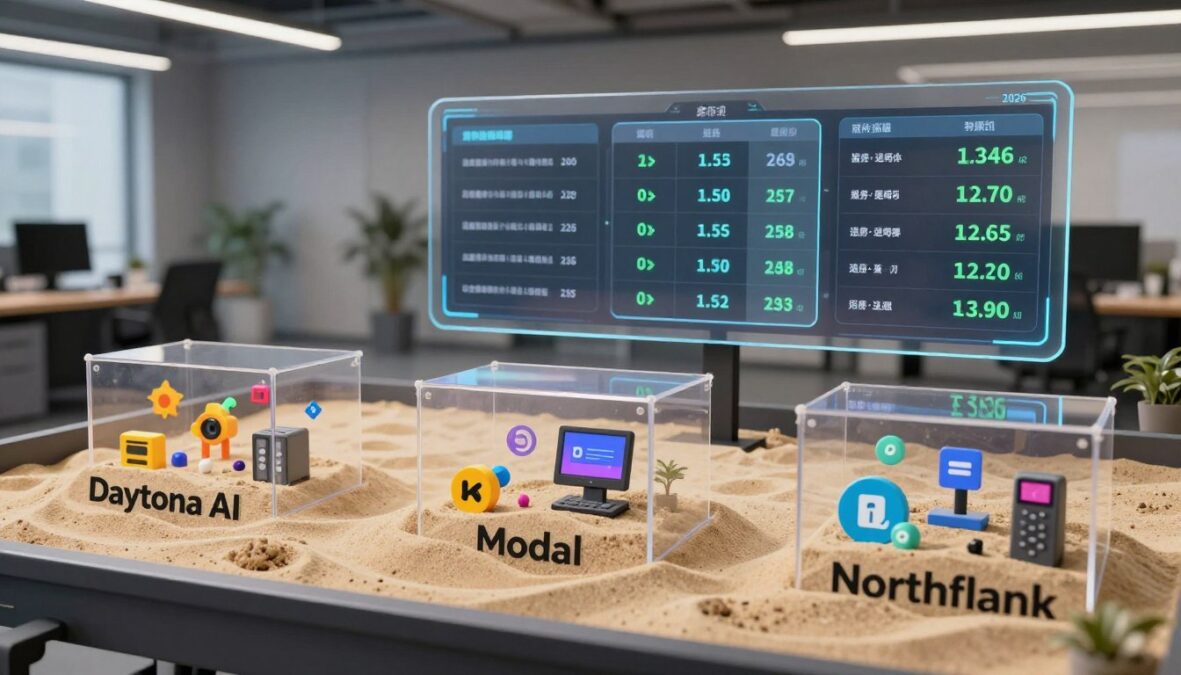
Pricing and Cost Effectiveness: Evaluating Daytona AI in the US Market
Understanding the pricing and cost structure of a platform is crucial for teams looking to optimize their budgets. The platform employs a straightforward, usage-based pricing model that includes $200 in free compute credits and 5 GB of free storage. This allows new users to explore the features without immediate financial commitment.
Once users exceed the free tier, the platform bills per second for compute and memory. This model ensures that teams only pay for what their agents consume. For a typical sandbox configuration of 1 vCPU and 2 GB of RAM, the cost is approximately $0.083 per hour during active execution. This competitive rate positions it well in the February 2026 market.
The free tier and a startup program offering $10,000 upfront and up to $50,000 in credits make this platform especially appealing for early-stage companies. Development teams can experiment with agent infrastructure without immediate financial pressure.
When comparing costs with key alternatives, Blaxel also charges $0.083 per hour for active usage but transitions to a much lower $0.00056 per hour standby mode after just 15 seconds of inactivity. This feature makes Blaxel approximately 74% cheaper for intermittent workloads where agents often wait for user input.
Modal’s pricing starts at $0.0869 per hour but can increase to $0.109 per hour with regional multipliers. This can complicate cost predictions for production deployments. In contrast, Northflank offers the most competitive pricing at scale, charging $0.01667 per vCPU-hour and $0.00833 per GB-hour. For 200 sandboxes, Northflank totals around $7,200, while this platform would cost approximately $16,819.20 and Modal around $24,491.50.
The impact of auto-suspend timings on agent workload budgets is significant. The platform’s default 15-minute auto-pause means sandboxes remain active and billable for a full 15 minutes after the last interaction. This can add up quickly when running thousands of concurrent agents that spend most of their time idle.
For US teams managing production workloads at scale, the choice between this platform and alternatives like Blaxel or Northflank often hinges on usage patterns. Continuous execution favors this platform’s competitive active rates, while intermittent workloads benefit from faster auto-suspend features and lower standby costs.

Real-World Applications and User Insights in 2026
The evolving landscape of code execution in 2026 highlights the diverse applications of sandbox environments in real-world scenarios. Companies are increasingly leveraging these technologies to enhance their operational efficiency and drive innovation.
Key Use Cases: AI Agents, Scientific Workloads, and Enterprise Teams
Real-world applications of sandbox environments span a wide range of use cases. AI agents are the primary driver, enabling companies to deploy autonomous systems that execute code, access information, and maintain persistent state across multi-step workflows. These sessions can last anywhere from 10 to 30 minutes.
Scientific workloads represent an exciting frontier. Teams in genome research, drug discovery, and chemistry are utilizing sandboxes configured with hundreds of CPUs. This setup allows them to tackle computationally intensive problems that traditional infrastructure would struggle to handle.
Enterprise teams are also adopting sandbox solutions for production deployments. A McKinsey survey found that 23% of organizations are already scaling agentic AI systems, while another 39% are experimenting with them. This trend is creating massive demand for reliable sandbox infrastructure.
Growth and Adoption Metrics Post Series A Funding
The growth metrics following the platform’s $24 million Series A funding in February 2026 are impressive. The platform crossed $1 million in annual recurring revenue within just two months of its April 2025 relaunch. This rapid pace of adoption is notable among infrastructure products.
LangChain’s case study reveals substantial usage data. The platform sees around 4,000 sandboxes created per month and more than 660 hours of sandbox runtime monthly. This indicates that teams are not just experimenting but are running significant production workloads on the platform.
Developer Community and Open-Source Engagement
The developer community surrounding the platform has flourished due to its open-source approach. By March 2026, the main repository accumulated over 65,200 GitHub stars, making it one of the most popular agent infrastructure projects in the open-source ecosystem.
Daytona’s commitment to community engagement is evident in its hiring plans. Open roles include Developer Experience Engineer, Senior Support Engineer, and Product Designer, signaling a long-term investment in the ecosystem beyond just the core product.
For US-based companies evaluating the platform, these adoption metrics and community signals provide confidence that it has both the momentum and developer mindshare to remain a viable long-term choice for agent sandbox infrastructure.
| Metric | Value |
|---|---|
| Sandboxes Created per Month | 4,000 |
| Sandbox Runtime per Month | 660 hours |
| Annual Recurring Revenue (ARR) | $1 million |
| GitHub Stars | 65,200+ |
When and Why US Users Should Consider Daytona AI
In today’s fast-paced tech landscape, selecting the right platform for your projects is crucial. Understanding when to adopt a specialized solution can significantly impact your team’s productivity and success.
Ideal Scenarios for Choosing the Sandbox Lifecycle Approach
This platform is particularly beneficial for teams that prioritize sophisticated sandbox lifecycle management. If your projects require inactivity-based automation features like auto-stop, auto-archive, and auto-delete, this platform excels in these areas.
Moreover, workloads that benefit from snapshot-based reuse and warm-start behavior will find this solution advantageous. It allows for quick creation times, often under 100 milliseconds, ensuring responsive user experiences.
Teams needing configurable firewall controls at sandbox creation will also appreciate this platform. The ability to keep sandboxes alive indefinitely by disabling auto-stop is vital for long-running agent tasks that require uninterrupted execution.
Limitations and Considerations for Production Deployments
While the platform offers many advantages, there are important limitations to consider for production deployments. Its container-based isolation shares the host kernel, which does not provide the hardware-enforced security boundaries found in microVM isolation alternatives. This makes it less suitable for running completely untrusted code in high-security environments.
Users have reported persistent workspace creation failures, as documented in GitHub Issue #1683. Such issues could impact reliability for teams that need guaranteed sandbox availability for mission-critical agent workflows.
Additionally, the platform lacks several infrastructure configuration options that enterprise deployments typically require. These include custom domains for agent endpoints, dedicated IP addresses for outbound traffic, and the ability to run databases or host long-running services alongside sandboxes.
Furthermore, there is no clear GPU support or Zero Data Retention options. This limits applicability for teams in regulated industries where data must be securely deleted after processing or for workloads requiring hardware acceleration.
How This Platform Fits Into the Broader AI Agent Infrastructure Ecosystem
Within the broader AI agent infrastructure ecosystem, this platform occupies a specific niche as a sandbox lifecycle specialist. It complements, rather than replaces, full-stack platforms like Northflank, which offer microVM isolation, GPU support, and complete workload orchestration.
For teams that need more than just code execution environments, understanding these distinctions is vital. The right choice depends on your specific requirements and the unique challenges your projects face.
Conclusion
In the rapidly evolving tech landscape, the choice of the right platform can define a team’s success. After exploring this platform, it is clear that it has carved a meaningful niche in the agent infrastructure landscape. With a strong focus on sandbox lifecycle management, it empowers developers to interact seamlessly with their execution environments.
The recent $24 million Series A funding and over 65,200 GitHub stars reflect robust community support. For teams in the U.S., this platform offers compelling features like auto-stop and warm-start pools, which enhance the user experience. However, its container-based isolation may not meet the security needs of all organizations.
As you evaluate your options, consider your specific requirements for code execution, state management, and enterprise flexibility. The competitive landscape in February 2026 offers various alternatives, each tailored to different needs. Ultimately, the decision should align with your team’s goals and the unique challenges you face.
FAQ
What is the primary function of this platform?
How does the sandbox creation process work?
What are the benefits of using microVM isolation?
Is there a free tier available for new users?
How does the auto-stop feature benefit users?
What types of workloads are best suited for this platform?
Can I integrate this platform with existing tools?
What security measures are in place for data protection?
There are no reviews yet. Be the first one to write one.