

In the fast-paced world of professional meetings, having the right tools can make all the difference. Granola has emerged as a noteworthy player in the note-taking landscape, generating significant buzz among users. With an impressive $43 million in funding, it positions itself as a lightweight solution for those who juggle back-to-back meetings.
This tool has gained traction on platforms like LinkedIn and Product Hunt, where professionals are eager to enhance their productivity. Our comprehensive hands-on testing included over 20 real calls across various platforms, such as Google Meet and Zoom. This review aims to uncover both the strengths and weaknesses of this tool.
From its unique bot-free recording technology to the AI-driven note enhancement system, we will explore how Granola performs in everyday scenarios. Additionally, we will dive into user feedback to help you determine if this minimalist approach fits your workflow.
Key Takeaways
- Granola has gained popularity as a meeting assistant tool among professionals.
- Our testing covered multiple platforms to ensure a thorough evaluation.
- We analyzed user experiences to identify both pros and cons.
- The tool offers unique features like bot-free recording and note enhancement.
- Understanding user feedback is crucial for assessing its value.
Understanding Granola AI: What It Is and Who It’s For
As professionals face an increasing number of meetings, the need for effective note-taking tools has never been greater. Granola AI, founded in 2023 by Chris Pedregal and Sam Stephenson, aims to address this challenge. This innovative tool serves as an AI-powered meeting notepad designed specifically for those who find themselves in back-to-back meetings.
The core concept is straightforward: users jot down quick notes during meetings, and once the meeting concludes, Granola fills in the gaps using the transcript. Your original notes appear in black, while the AI-generated additions are displayed in gray. This design gives users control over what stays in their notes, ensuring clarity and personalization.
Granola AI Overview and History
The tool captures audio directly from your computer’s system sound, eliminating the need for a visible bot that joins meetings. This feature reduces the social friction often associated with other transcription tools. Granola works seamlessly with major platforms such as Zoom, Google Meet, Microsoft Teams, Slack huddles, and Webex, making it a versatile choice for various meeting environments.
In 2026, Granola expanded its offerings with the launch of Spaces—team workspaces with granular access controls. Additionally, it introduced personal and enterprise APIs, along with an MCP server. This expansion signals a strategic move beyond individual users into the enterprise market.
User Intent: Why People Are Searching for Granola AI Review 2026
People are increasingly searching for reviews of this tool to determine if its minimalist approach to meeting notes truly delivers on its promises. The user intent behind these searches often revolves around comparing Granola to more feature-rich alternatives. Users want to know if the bot-free approach genuinely enhances meeting flow or if it sacrifices necessary features for simplicity.
| Feature | Description |
|---|---|
| Bot-Free Recording | Captures audio without joining as a visible bot, reducing social friction. |
| AI Note Enhancement | Fills in gaps in user notes with AI-generated context from transcripts. |
| Supported Platforms | Works with Zoom, Google Meet, Microsoft Teams, Slack, and Webex. |
| Team Workspaces | Introduced in 2026, allowing for collaboration with granular access controls. |
| APIs | Personal and enterprise APIs launched for extended functionality. |
Key Features of Granola AI
The modern workplace demands tools that simplify the meeting experience. This tool offers several standout features designed to enhance productivity and streamline note-taking. Let’s explore these features in detail.
Bot-Free Recording Technology
One of the most notable features is the bot-free recording technology. This tool captures audio directly from your device’s system sound. As a result, no visible bot joins your call, allowing participants to engage more naturally during meetings.
AI Note Enhancement and Summaries
Unlike traditional transcription services, this tool enhances your rough notes with relevant context from the meeting transcript. This AI note enhancement creates concise summaries that reflect your priorities, rather than overwhelming you with a wall of text.
Customizable Meeting Templates
To further streamline the note-taking process, customizable templates are available for various meeting types. Whether you’re conducting sales discovery calls, user interviews, or standups, you can create and standardize templates to suit your workflow.
Built-in AI Chat for Post-Meeting Queries
After a meeting, the built-in AI chat feature allows you to ask specific questions like, “What were the action items?” or “What was the budget discussed?” This functionality pulls answers directly from the transcript, making it easy to review key points quickly.
Supported Platforms and Integrations
This tool supports all major platforms, including Zoom, Google Meet, Microsoft Teams, Slack huddles, and Webex. Additionally, it can transcribe any audio playing on your device, such as podcasts or YouTube videos. The desktop app is available for both macOS and Windows, while an iOS app is provided for recording phone calls and in-person meetings. However, Android users currently do not have access.
| Feature | Description |
|---|---|
| Bot-Free Recording | Captures audio without a visible bot, enhancing natural interaction. |
| AI Note Enhancement | Expands rough notes with context from transcripts for better summaries. |
| Customizable Templates | Templates for various meeting types, allowing personalized formats. |
| Built-in AI Chat | Ask post-meeting questions and get answers from the transcript. |
| Supported Platforms | Works with Zoom, Google Meet, Microsoft Teams, Slack, and Webex. |
What Granola AI Gets Right: Pros Breakdown
Effective tools are essential for navigating the complexities of today’s meetings. This tool excels in several key areas, making it a strong contender for anyone looking to improve their note-taking process.
Minimalist, Bot-Free Approach Enhances Meeting Flow
The minimalist, bot-free approach genuinely enhances meeting flow. Participants act more naturally when there isn’t an extra “participant” silently joining the call. This is especially valuable for VCs, consultants, and sales professionals during sensitive client calls.
Accurate Live Transcription and Note Taking
Granola’s live transcription accuracy impressed us during testing. It outperformed other tools like Notta, Otter, and Tactiq in side-by-side comparisons. Although it occasionally makes typical AI transcription mistakes, the overall performance is quite good.
Intuitive User Interface and Easy Onboarding
The user interface is one of the most straightforward we’ve encountered in three years of testing AI note-taking apps. The clean design keeps your notes, folders, and account information easily accessible on the left side, allowing for quick navigation.
Multiple Meeting Templates and Customization
Granola offers multiple meeting templates for different scenarios, such as 1:1 meetings and customer calls. This helps standardize your note-taking. You can add or remove sections, giving you full control over customization.
Effective AI-Generated Notes from User Input
The way this tool incorporates your own notes into AI-generated summaries is impressive. It transforms messy shorthand jottings into structured, usable summaries that sound professional. This feature truly enhances the value of your notes.
Additionally, the calendar integration provides a reminder when a call is about to start. This allows you to set Granola to transcribe automatically, saving time and reducing friction in your workflow. The free tier includes numerous features, giving you ample opportunity to test the tool before committing to a paid plan.
Where Granola AI Falls Short: Cons and Limitations
While many tools aim to enhance productivity, this one does have its share of drawbacks. Understanding these limitations is crucial for potential users. Below are some notable areas where this tool may not meet expectations.
Lack of Speaker Identification in Transcripts
A surprising gap for 2026 is the absence of speaker identification. Transcripts display as continuous text without clear labels. This makes it challenging to follow conversations, especially in meetings with more than two or three participants.
No Audio or Video Playback Capability
Another limitation is that this tool does not store audio recordings. It transcribes in real time and then deletes the audio. If the transcript contains errors, there is no way to go back and listen to verify what was said.
Privacy Features Locked Behind Higher-Tier Plans
Privacy features are frustratingly locked behind the Enterprise plan, which costs $35 per user per month. By default, the tool uses your meeting data to train its AI models unless you manually opt out.
Limited Free Plan with Ambiguous Restrictions
The free plan has unclear restrictions, which even customer support took over a day to clarify. Meeting history is limited to just 14 days, and there are ambiguous usage caps on other features.
No Android App Support
As of February 2026, there is no Android app available. This immediately rules out this tool for anyone using Android devices or teams with mixed device ecosystems.
Restricted Cross-Meeting Intelligence and Export Options
Cross-meeting intelligence is limited since the tool works one meeting at a time. It cannot analyze trends, identify recurring themes, or build a searchable knowledge base from your conversation history. Additionally, getting transcripts or notes out of the tool requires manual copy-paste, as there is no native export functionality.
Google Workspace Account Requirement
Finally, the requirement for a Google Workspace account locks out users with personal Gmail accounts or other email domains. This presents a significant barrier for freelancers and small businesses outside the Google ecosystem.
Granola AI Review 2026: Pricing Plans and Cost Analysis
Navigating the costs of productivity tools can be as challenging as the meetings themselves. Understanding the pricing structure is essential for users looking to make informed decisions. Let’s break down the available plans and their features.
Basic (Free) Plan Features and Limitations
The Basic free plan costs nothing but comes with significant limitations. Users only have access to a 14-day meeting history cap. Moreover, there are unclear usage restrictions that even Granola’s own customer support struggled to clarify promptly.
This free tier includes essential features like AI notes, the Ask Granola feature, shared folders, and customized note templates. It’s a great way to test the tool before committing to a paid account.
Business and Enterprise Plans Overview
The Business plan is priced at $14 per user per month. This plan unlocks unlimited meeting history and notes, along with team folders and consolidated billing. Additionally, it offers integrations with popular tools like Slack, HubSpot, Notion, Zapier, Attio, and Affinity.
On the other hand, the Enterprise plan is available at $35 per user per month. This tier includes enterprise-grade security features, single sign-on (SSO), priority support, and usage analytics. However, it requires at least 100 users for SSO access, making it less accessible for smaller teams.
No Annual Billing Discounts: What This Means for Users
One significant drawback is that Granola does not offer any annual billing discounts. Users pay the same rate month to month, which can add up significantly over a year. Many competitors provide discounts of 40 to 50 percent for annual plans, making this pricing structure less appealing.
Moreover, the pricing has changed three times already, with the Individual plan being scrapped entirely. This may concern users looking for a stable, predictable pricing model. Ultimately, the way pricing is structured can force privacy-conscious users toward the most expensive Enterprise plan, as it is the only tier offering organization-wide opt-out from AI model training.
Granola AI vs Competitors: How Does It Compare?
With a plethora of options on the market, understanding how tools stack up against each other is crucial. This section compares this tool with Remi8 AI Voice Notes, highlighting their differences and similarities.
Feature Comparison with Remi8 AI Voice Notes
When comparing this tool to tools like Remi8, the feature gap becomes immediately apparent. Remi8 offers a comprehensive second brain experience, capturing everything beyond just meeting notes. It includes voice notes, reminders, and everyday conversations.
Granola’s features focus primarily on meeting transcription and note enhancement. In contrast, Remi8 provides natural language recall and smart automatic reminders, which enhance usability significantly.
Pricing and Value Proposition Differences
Pricing is another key differentiator. Remi8’s Professional plan costs just $4.99 per month, significantly undercutting Granola’s $14 per user per month Business plan. This lower price comes with more features, including offline access and WhatsApp call recording.
For teams needing collaboration features, Remi8 also offers selective sharing with privacy controls even on the free tier. This makes it a more attractive option for users looking for value.
Platform Availability and Language Support
Platform availability plays a major role in user experience. Remi8 supports iOS, Android, and web browsers, providing real-time sync across devices. On the other hand, this tool lacks Android support and requires a Google Workspace account, limiting its accessibility.
Language support also varies. Remi8 supports over 56 languages for voice input and 100 for text. In contrast, this tool struggles with heavy accents and rapid code-switching, which can hinder usability in diverse environments.
Privacy and Security Contrasts
Privacy is a critical consideration for many users. Remi8 encrypts data by default and never trains AI models on personal data. This approach contrasts sharply with this tool, which trains on anonymized user data by default, with opt-out options locked behind the Enterprise plan.
In summary, while both tools offer unique advantages, users must consider their specific needs when choosing between them. Understanding these differences can help professionals select the right tool for their workflow.
Real User Insights and Reviews on Granola AI
User feedback plays a vital role in shaping the perception of any productivity tool. In this section, we will explore the ratings and insights from users across various platforms. This will help potential customers understand how well this tool performs in real-world settings.
Summary of Ratings Across Review Platforms
Across review platforms, this tool holds a weighted average of 4.85 out of 5 stars. However, this impressive score comes from only 48 total reviews on G2 and ProductHunt. Notably, TrustPilot and Capterra do not feature this tool at all.
| Platform | Rating | Total Reviews |
|---|---|---|
| G2 | 5/5 | 11 |
| ProductHunt | 4.8/5 | 37 |
| TrustPilot | N/A | N/A |
| Capterra | N/A | N/A |
Common Praise from Users
Users commonly praise the bot-free approach for making meetings feel more natural. One user even called it “the best AI note taker I’ve used,” while acknowledging the steep pricing.
The AI note enhancement feature that incorporates user notes into summaries receives consistent praise from people who appreciate having control over what appears in their meeting notes.
Frequent Criticisms and User Pain Points
Frequent criticisms center on the lack of speaker identification, with multiple users expressing surprise that such a basic feature is missing from a modern note-taking tool. Additionally, the requirement for a Google Workspace account is a recurring pain point, locking out users who don’t operate within the Google ecosystem.
Some users report accuracy issues, with one tester finding only 90-92% accuracy when testing with a friend. This, however, remains competitive with other live transcription tools.
Reddit users specifically complain about the lack of post-call workflow automation, expressing a desire to automatically sync meeting notes to Google Docs without manual copy-paste.
Lastly, the limited number of reviews across platforms makes it challenging to get a comprehensive picture of real user satisfaction. Some reviews appear to be biased or affiliate-driven rather than genuine customer experiences.
Granola AI Integrations and Compatibility
In today’s digital landscape, the ability to integrate various tools can significantly enhance productivity. This tool supports a range of popular applications, making it easier for users to streamline their workflows and improve their meeting experiences.
Popular App Integrations: Slack, Google Workspace, Zapier, and More
Granola integrates with key applications like Google Workspace, HubSpot, Slack, Zapier, Notion, Attio, Affinity, and Linear. These integrations cover many common workflow tools, allowing teams to enhance their collaboration.
Moreover, the integration with Google Meet and Google Calendar improves user experience by automatically triggering transcriptions when calendar events start. However, it’s important to note that most integrations are limited to the Business plan, which costs $14 per user per month. Free tier users miss out on these valuable connections.
How Integrations Support Workflow Efficiency
The Zapier integration is particularly noteworthy, as it allows connections to over 5,000 apps, providing a way to automate workflows. However, this also requires the Business plan. Team collaboration is facilitated through shared folders, enabling users to share meeting notes via email, Slack, or direct links effortlessly.
Granola’s desktop app captures any system audio, which means it works seamlessly with virtually any meeting platform, such as Zoom, Google Meet, Microsoft Teams, and Webex, without needing direct integrations for basic transcription.
Despite these advantages, users may find it frustrating that there is no native export to Google Docs. This limitation makes it difficult for those wanting to sync their meeting notes directly into their document workflow without resorting to copy-paste.
For business users, the integration ecosystem is solid but not exceptional. It lacks the depth of CRM integrations that some competitors offer, such as Fireflies AI or tl;dv, which provide native Salesforce and HubSpot connections.
| Integration | Description |
|---|---|
| Google Workspace | Seamless integration for enhanced productivity. |
| Slack | Share meeting notes and collaborate easily. |
| Zapier | Connects to over 5,000 apps for workflow automation. |
| Google Meet | Automatic transcription triggers with calendar events. |
| Notion | Integration available for business users. |
User Interface and Usability of Granola AI
The effectiveness of a note-taking app often hinges on its user interface and overall usability. A simple and intuitive design can make a significant difference in how users interact with the tool. This section explores the design simplicity, learning curve, and organization of meetings and notes within the app.
Design Simplicity and Learning Curve
The user interface is remarkably simple and intuitive. On the left side, you can easily access your notes, folders, and account information. This layout is one of the most straightforward we’ve encountered in three years of reviewing note-taking apps.
However, some users describe the color scheme as “so bland,” with gray on gray reminiscent of older operating systems. While the design prioritizes function over form, a visual refresh could enhance the overall experience.
The learning curve is short, but initial navigation can be confusing. There’s no tutorial to guide new users, and finding the live transcript requires clicking a small moving circle tab at the bottom of the notes page.
Meeting Organization and Note Accessibility
Meeting organization relies on folders labeled as “shared” or “private.” This system is functional but feels limited compared to tools that offer tagging or smart categorization. Users may find themselves wishing for more advanced organizational features.
Note accessibility is straightforward once you understand the layout. However, the lack of a scroll bar on the transcript makes navigating long meetings unnecessarily tedious.
One helpful feature is the calendar integration, which pops up reminders for upcoming calls. This allows users to set the app to transcribe with a single click, streamlining the process.
One frustrating aspect is that the Ask Granola chat history disappears when you exit and re-enter a meeting. This forces users to repeat questions, which can be time-consuming.
Overall, the desktop app feels lightweight and doesn’t bog down your system. This is crucial for professionals who often run multiple applications during their workday.
| Feature | Description |
|---|---|
| User Interface | Simple layout with left-side navigation for easy access to notes and folders. |
| Color Scheme | Gray on gray design that some users find bland and outdated. |
| Learning Curve | Short, but initial navigation can be confusing without a tutorial. |
| Meeting Organization | Folders labeled as “shared” or “private,” lacking advanced categorization. |
| Note Accessibility | Straightforward layout, but lacks a scroll bar for long transcripts. |
| Calendar Integration | Reminders for upcoming calls, allowing for easy transcription setup. |
| Chat History | Disappears upon exiting a meeting, requiring repeated questions. |
| Desktop App Performance | Lightweight, ensuring smooth operation alongside other applications. |
Privacy and Security Considerations with Granola AI
Privacy and security are paramount in today’s digital tools, especially when handling sensitive information. As users rely on technology for their professional conversations, understanding how data is managed becomes crucial. This section delves into the privacy practices associated with this tool, shedding light on its data handling and compliance measures.
Data Handling and AI Model Training Practices
This tool is SOC 2 and GDPR compliant, providing a baseline level of security assurance for business users. However, it has a notable privacy concern: it trains its AI models on user conversations by default. While the company claims this training is based on anonymized data, it offers no transparency about how this anonymization is achieved.
Users can manually opt out of model training in their account settings. However, organization-wide opt-out is only available on the Enterprise plan, which costs $35 per user per month. This effectively places privacy behind a paywall.
Compliance with SOC 2, GDPR, and Other Standards
Granola’s compliance with SOC 2 and GDPR standards is designed to protect sensitive meeting conversations. Nevertheless, the lack of clarity regarding data anonymization raises questions. Users should consider whether the assurances provided are sufficient for their needs.
Limitations Around Privacy Opt-Outs and Enterprise Plans
While the tool does not store audio recordings, transcribing in real time and deleting the audio afterward is marketed as a privacy feature. However, this also means users cannot verify transcription accuracy. Additionally, the tool does not automatically notify meeting participants that transcription is occurring, placing the onus on the user to inform others.
Past reports indicated that Granola allowed unauthorized downloads of user transcripts, although no recent issues have been reported. For businesses dealing with sensitive client information, the default model training policy should be a serious consideration before adopting this tool.
Ultimately, the way this tool handles data privacy creates a situation where true privacy protection is treated as a premium feature rather than a fundamental right.

How Granola AI Performs in Multilingual and Multi-Speaker Settings
In today’s diverse workplaces, handling multiple languages during meetings presents unique challenges. This tool supports various languages for transcription, but it faces significant hurdles in real-world applications.
Support for Multiple Languages and Accents
The tool can transcribe in multiple languages, yet struggles with heavy accents and rapid code-switching. For instance, during a Russian language lesson on Preply, the transcript included gibberish, with some text not even rendered in Cyrillic. Surprisingly, the AI notes still managed to create a cohesive summary of the lesson.
Moreover, the custom vocabulary feature, known as Internal Jargon, could enhance accuracy. However, it fails to work when multi-language transcript support is enabled, limiting its usefulness for multilingual teams.
Challenges with Speaker Identification and Accuracy
Speaker identification remains a notable weakness. Transcripts display as continuous text without clear speaker labels, making it nearly impossible to follow conversations with more than two people. In meetings involving three or more participants, the lack of differentiation makes the transcript awkward to read and significantly reduces its usefulness for review purposes.
The AI notes feature attempts to infer speakers based on calendar information, but accuracy drops dramatically in multi-speaker settings. This is particularly concerning for international teams and multilingual professionals, as accurate attribution is vital during important conversations.
Furthermore, the inability to replay audio exacerbates the speaker identification issue. Users cannot go back and listen to verify who said what when the transcript is unclear, leading to potential misunderstandings in critical discussions.
Who Should Consider Granola AI and Who Should Look Elsewhere?
Choosing the right productivity tool can significantly impact how effectively teams manage their meetings. Understanding who will benefit most from this tool can help users make informed decisions.
Ideal Use Cases and User Profiles
This tool is particularly well-suited for:
- Individual professionals who spend their days in back-to-back virtual meetings on macOS or Windows. They seek a lightweight, bot-free note-taking experience without complex features.
- People already embedded in the Google Workspace ecosystem who do not require audio playback, speaker identification, or cross-meeting intelligence.
However, it may not be the best fit for:
- Teams needing advanced collaboration features, as most team functionality is locked behind the Business plan at $14 per user per month.
- Android users, who are completely excluded from using this tool, making it a non-starter for anyone in a mixed-device environment.
- Users requiring advanced features like recording playback, speaker identification, or cross-meeting analytics.
- Privacy-conscious users who do not want their meeting data used for AI model training should consider alternatives.
Alternatives for Teams and Users Needing Advanced Features
For those looking for more comprehensive solutions, several alternatives stand out:
- Remi8 at $4.99/month offers privacy by default and a robust feature set.
- Fellow is known as the best overall for teams.
- Fireflies AI is budget-friendly and offers essential features.
- MeetGeek provides the best AI meeting summaries.
- Fathom is recognized as the best free AI note-taker.
- Otter AI remains a popular option among users.
- Krisp is a bot-less option with high audio quality.
- Bluedot is an easy-to-use, bot-free alternative.
- tl;dv offers a simple, feature-rich free plan.
In summary, while this tool serves a specific niche, many alternatives cater to broader needs, particularly for teams and users requiring advanced features.
Additional Tools and Features: The Ask Granola Chatbot and Templates
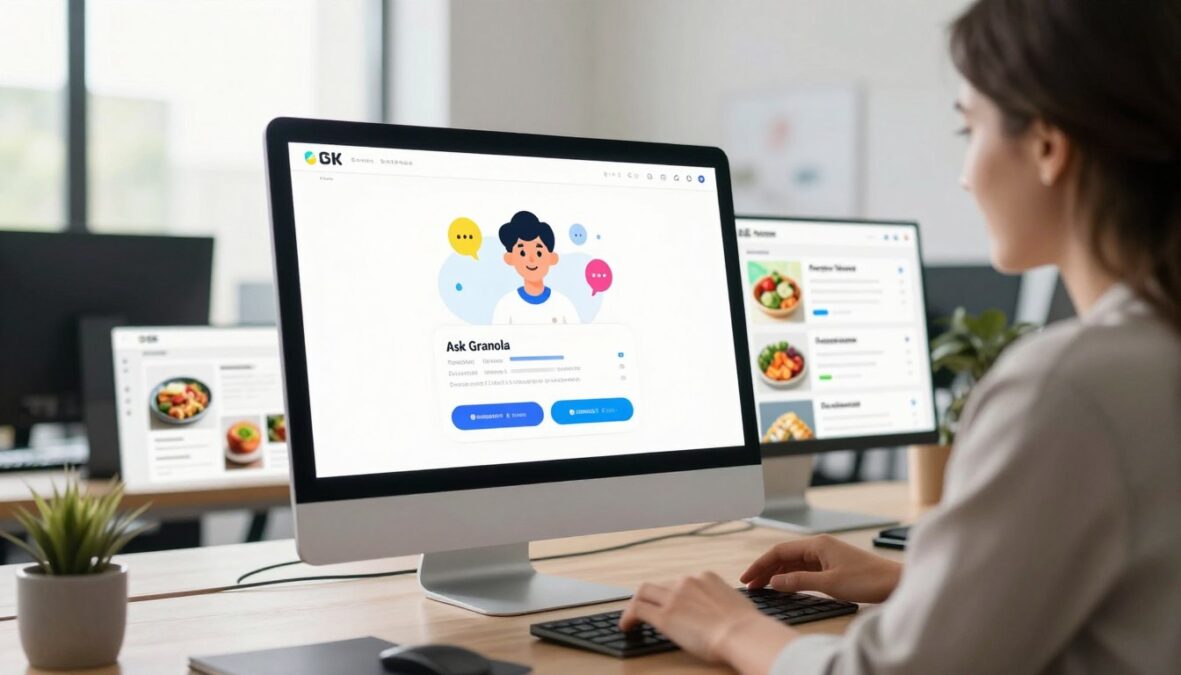
In the realm of productivity tools, the right features can elevate your meeting experience. One standout feature is the Ask Granola chatbot. This tool acts like an AI assistant for your meetings, enabling you to ask questions, request follow-ups, or identify action items quickly.
The chatbot provides relevant outputs almost instantly and is included even in the Free plan. This accessibility allows all users to test its capabilities. However, a limitation exists: the chat history disappears when you exit and re-enter a meeting. This means you may need to repeat questions if you need to revisit information.
While the AI excels at pinpointing specific details from transcripts, it may not engage in deeper, more nuanced conversations about meeting content. This is important to keep in mind when using the chatbot for follow-ups.
Using the AI Chat for Meeting Follow-Ups and Queries
The Ask Granola chatbot provides a convenient way to query your meeting transcripts after calls. You can ask about action items, budget discussions, or key decisions without having to sift through the entire transcript. This feature streamlines the follow-up process, saving you valuable time.
Despite its efficiency, users should remember that the AI’s responses are generally straightforward rather than deeply analytical. It’s best suited for quick inquiries rather than complex discussions.
Meeting Templates and Custom Note Structures
Another valuable aspect of this tool is its meeting templates. These templates cover a wide range of business scenarios, including sales discovery calls, user interviews, standups, and one-on-ones. This helps standardize note structures across different meeting types.
The ability to add and remove sections when customizing templates gives you full control over how your meeting notes are organized. Most templates are geared toward business meetings, but the “Auto” option allows flexibility for non-business conversations, such as language lessons or casual chats.
Moreover, the integration of templates with the AI note enhancement feature creates a powerful combination. Your notes are not only structured by the template but also enriched by AI-generated context, resulting in comprehensive meeting summaries.
Conclusion
In today’s workplace, the effectiveness of our meeting tools can significantly shape our productivity. Granola has carved out a niche with its innovative, bot-free approach and impressive note enhancement features. However, limitations such as the lack of Android support and unreliable speaker identification cannot be overlooked.
After thorough testing, it earned a score of 3.6 out of 5, reflecting solid performance but significant gaps. The pricing structure, with privacy features locked behind expensive plans, raises concerns for potential users.
For individual professionals seeking a lightweight way to capture meeting notes, this tool effectively delivers. Yet, teams requiring advanced features or robust collaboration should explore alternatives like Fellow or Remi8. With $43 million in funding, the future may hold improvements that address current shortcomings.
FAQ
What is Granola AI used for?
How does the transcription feature work?
Is there a free plan available?
Can I integrate Granola AI with other apps?
What are the privacy measures in place?
Does Granola AI support multiple languages?
What are the limitations of the free plan?
How can I access my meeting history?
Is there a mobile app available?
What types of businesses benefit from Granola AI?
There are no reviews yet. Be the first one to write one.