

Can one product photo become a useful campaign without a full creative team? This introduction explores whether Google’s experimental tool can help a small business turn brand details and an audience brief into fresh marketing ideas.
Available through google labs, Pomelli can draft three campaign concepts from one product image and a target-audience description. That may save time when you need a quick starting point. Still, campaign visuals are not the same as specialized ecommerce photography, where package details must stay true to life.
We’ll look at beta access, unclear future pricing, and what to test before you decide to use it often. Set aside about 10 extra minutes for Business DNA setup; stronger brand details can make the first results more useful. The key thing to assess is whether the tool creates content your customers can trust.
Key Takeaways
- Pomelli turns a photo and audience brief into campaign concepts.
- Business DNA setup may improve the results.
- Generated visuals may not suit exact product photography needs.
- Beta access and future pricing may change.
- Test the output before making it part of your routine.
Google Pomelli AI Review 2026: What the Marketing Tool Does
This experimental Google Labs marketing tool turns a website link or product photo into a starting point for branded content. It gives small teams a way to explore campaign ideas without building every asset from scratch.
How a Website or Product Image Becomes Brand Assets
Enter a website URL for brand analysis, or upload a product image to begin creative generation. In one Simply Cake example, the tool found the bakery’s logo, fonts, colors, and images in under 20 seconds. It then created three campaign concepts, including one for Mother’s Day.
The output can extend beyond product photography. Its assets may support social media, ads, and email, giving a business more options for its marketing workflow.
Who Can Benefit From It?
This feature aims to help small businesses that lack professional design skills. A review of five Google Labs tools also covered Stitch, Genie, Flow, and NotebookLM. Pomelli’s core role is a practical way to shape a product-focused idea into usable media and design content. It offers a quick starting point, not a guarantee of ready-to-publish work.
Business DNA: How Pomelli Builds Your Brand Profile
A clear brand profile can help keep campaign ideas consistent. Business DNA gives Pomelli useful details about your business before you create new content.
Website URL Scans for Tone, Colors, Fonts, and Visual Style
Enter a website URL, and the tool scans its messaging, tone of voice, color palette, fonts, images, and visual style. In the Simply Cake example, the scan reportedly found the bakery’s logo, colors, fonts, and images in under 20 seconds.
Setting Up Brand Voice and Business Details
The profile can hold brand values, an aesthetic, a business overview, a logo, colors, and fonts. This Business DNA system then guides later creative work, so its details can shape how each campaign looks and sounds.
No polished style guide? Gemini can help turn a screenshot of profile fields or a packaging photo into possible brand details. Treat its suggestions as a starting point, then check that each entry fits your business.
Set aside about 10 extra minutes for setup. A careful process can give the workflow a stronger base. Review the profile before moving on, and adjust any tone or color that does not match your site.
Campaign Generation for Social Media and Marketing
With business DNA in place, you can turn a product image and audience brief into a focused campaign. The tool creates three concepts, each with a headline, description, and distinct visual treatment. This gives small teams a quick way to explore content for social media and other marketing channels.
From a Product Image to Campaign Concepts
In one cookie example, the prompt “target individuals on a night out” led to ideas called “Status Unlocked” and “Drop the Box.” The first framed freshly baked cookies as a late-night delivery across London. That scene and copy felt tied to a real audience, not just a product description.
Make Prompts Specific
A broad brief can lead to familiar images and text. Add details about the audience, setting, and need instead. For example, name late-night gamers rather than a general group. Specific prompts help the system shape the campaign, layout, and tone of voice with more purpose. Your brand voice and Business DNA can guide the result, but the brief still matters.
- Start with one product image and a clear audience.
- Check each concept before turning its assets into a post.
Spend a few minutes refining the prompt, then choose the concept that fits your workflow. This keeps campaign generation useful without treating every image or copy draft as finished media.
Photoshoot, Image Editing, and Other Creative Features
Photoshoot adds a flexible feature to your workflow. It creates four image styles for a product: Studio, Ingredient, In Use, and Contextual. Each gives a campaign a different setting, from a clean backdrop to a lifestyle scene. You can download the images together or add the finished assets to Business DNA.
Explore Image Styles and Refine Your Creative
The editor helps you adjust a product image without losing the core idea. Fix Layout can shift the product while keeping the visual concept intact. You can also change the text, copy, fonts, color, size, and call to action. Want a pink background? Use prompts to request that change, then check the result before adding it to a campaign.
“Good creative starts with a strong idea—and improves with careful edits.”
Create Logos and Save Brand Assets
A text prompt can produce four logo concepts. Regenerate options or revisit earlier attempts before choosing a design. Permanent Marker and Tilt Neon are two available fonts. When a product photo or logo fits your brand, save it to Business DNA for later use. These small things make it easier to keep useful assets close at hand.
Pomelli AI Pricing and Free Beta Access in 2026
Beta access can offer a low-risk way to see if this tool fits your needs. However, access rules and plan details may change, so treat reported features as provisional.
What the Beta Lets You Try
Reports say users can create a Business DNA profile, try a limited set of assets, test Photoshoot, and explore campaign suggestions at no cost. This gives a small business a way to assess content before making the tool part of its marketing process.
A possible Pro plan may offer higher generation limits, multi-brand support, team collaboration, broader campaigns, and more export options. No fixed price is confirmed, so treat these features as reported, not promised.
Confirm Access Before You Plan
Beta access reportedly supports English only in select countries. Check Google’s official Pomelli website for current eligibility, limits, and pricing. The system may change, so verify details at sign-up. Try a sample text to estimate the time needed for your workflow.
| Reported option | What it may include | What to verify |
|---|---|---|
| Free beta | Profile setup, limited assets, Photoshoot, and campaign ideas | Current access and usage caps |
| Possible Pro plan | More brands, team features, and export options | Availability and subscription price |
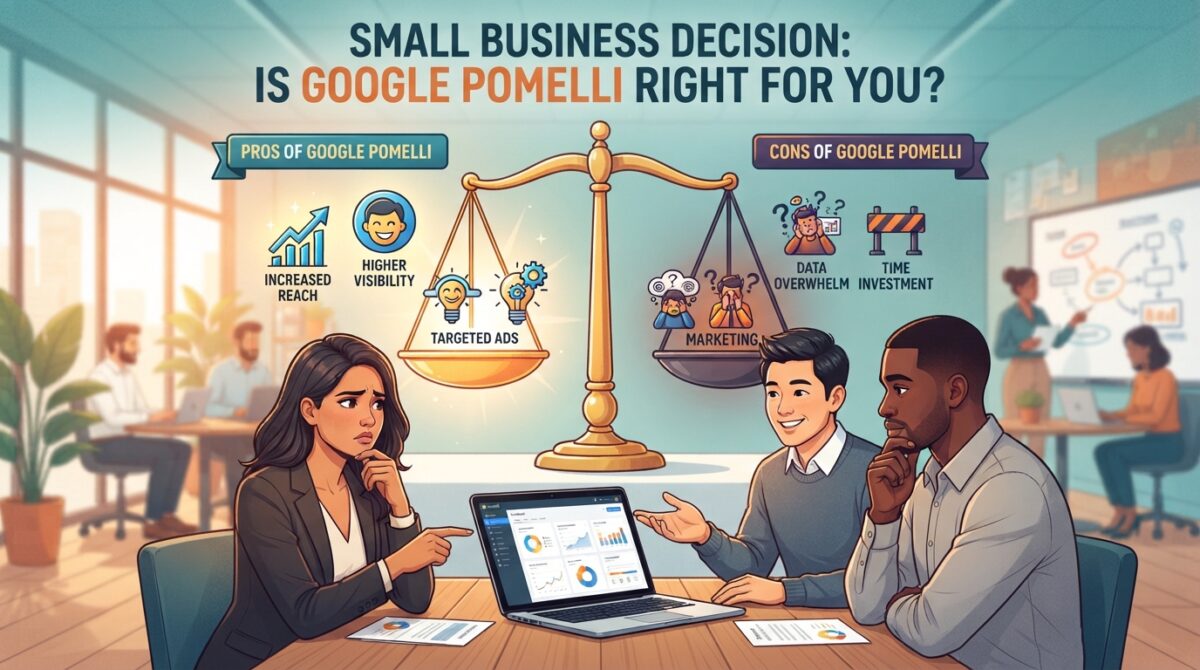
Pros and Cons of Google Pomelli for Small Businesses
For a lean team, a quick creative draft can free up time for customers and daily tasks. The main trade-off is speed versus control.
Fast, Beginner-Friendly On-Brand Content Generation
People with few design skills can turn a product brief into a brand-ready campaign in minutes. In the Simply Cake example, the system reportedly found key bakery details in under 20 seconds, then generated campaign ideas. This tool may also cut repeated edits in Canva and help a small business prepare social content without spending hours on each draft.
Beta Constraints, Design Control, and Product Accuracy
Speed does not ensure a polished result. Beta users may see layout glitches, and fine-tuning can feel clunky. Limited design control also makes it harder to keep product details, packaging, and typography exact. Check every asset before using it in marketing, especially when buyers need clear, accurate visuals.
It works best as a first draft, not a full replacement for a designer or production workflow.
| Area | Advantage | Limitation |
|---|---|---|
| Creative process | Quick starting content | May need manual edits |
| Visual accuracy | Useful for broad concepts | Product details may shift |
| Best fit | Early-stage social assets | Less suited to exact specifications |
Animation Limitations and Ecommerce Product Photography Gaps
Motion can make a campaign feel fresh, but it also brings limits. Those limits matter when your product image must stay clear and accurate.
Why Text Can Distort in Animated Campaign Videos
In Pomelli, the Animate control appears only after you switch an image to a 9:16 story format. Text layered over animated images may shift, warp, or become hard to read. Starting with text-free images is safer. The tool has no prompt for motion, such as a zoom or pan. It picks the direction, though you can regenerate for other versions.
When Product Detail, Batch Generation, or Marketplace Specs Matter
Ecommerce teams often need exact packaging text, steady lighting, consistent product details, and bulk SKU output. They may also need image sizes that meet Amazon, Walmart, or retail rules. These needs go beyond broad social media design. When visuals affect growth, check each file against the listing requirements.
| Need | Potential gap | Safer approach |
|---|---|---|
| Animated campaign | Text may distort; motion has limited direction | Use text-free images and review each version |
| Product listings | Details, lighting, or sizes may vary | Verify files and create SKU images in batches |
Who Should Use Pomelli—and When to Consider an Alternative
The best fit depends on your team, content needs, and available visuals. This marketing tool may suit solo operators who want a faster way to test ideas.
Good Fit for Solopreneurs and Social-First Campaigns
Solopreneurs and small teams can create brand-aligned campaign drafts, social media posts, and quick visual ideas without a designer on call. It can support a lean business that needs regular media but has a simple workflow.
A visually rich bakery like Simply Cake offers useful photos and detail for content generation. In one test, a newsletter business with few product images got weaker results. That shows how much the source image library can shape the outcome.

When a Dedicated Ecommerce Product Visual Tool May Be Better
Large catalogs, bulk creation, strict marketplace rules, and exact packaging details call for a more product-first approach. Brands with those needs may prefer dedicated tools for image accuracy and listing specs. The ecommerce source names Pikes AI as an alternative and reports that more than 1,000 ecommerce and consumer brands use it.
Choose the setup that fits the work, not just the first draft. The right choice can save time and support growth.
Conclusion
Pomelli suits a small business that needs quick, branded campaign ideas. Its three-concept workflow gives you a clear starting point. Business DNA can also carry website details into later campaign work. Allow about 10 extra minutes to set it up.
Photoshoot’s Studio, Ingredient, In Use, and Contextual templates help you explore product visuals without booking a studio shoot. Still, animation has limits: it requires a 9:16 format, text can distort, and you cannot direct motion. Check each result before you use it.
Before relying on the tool for ongoing content, check Google’s current beta access and pricing. Compare its output with your needs for accuracy and scale. If it fits your workflow, Pomelli can help your brand test ideas. If not, choose a solution better suited to your business and product needs.
FAQ
What does Pomelli do for a small business?
How does the Business DNA feature work?
Do I need a product image to make a campaign?
How can prompts improve the copy and images?
Can I edit generated photos and creative assets?
Is the tool free to use?
Can it make animated campaign videos?
Is it suitable for ecommerce product photography?
Who is this marketing tool best for?
There are no reviews yet. Be the first one to write one.